
awork Forms
Create custom forms with required fields that automatically convert submissions into awork tasks with assigned project and priority.
awork Forms is a standalone form tool. External people fill out your form, and each submission is automatically created as a task in awork.
Key benefits and use cases
Use awork Forms when you want more structured input and faster follow-up:
- Structured request collection, so all the required information is submitted through a form
- Fewer follow-up questions, since the right information is collected upfront through required fields
- Automatic task creation for every submission, including the project, task list, assignee, and priority
How to use awork Forms
- Open Einstellungen (the gear icon at the bottom left of the main menu), select Forms, then click Forms verwalten, or go directly to forms.awork.com.
- Sign in with your awork account.
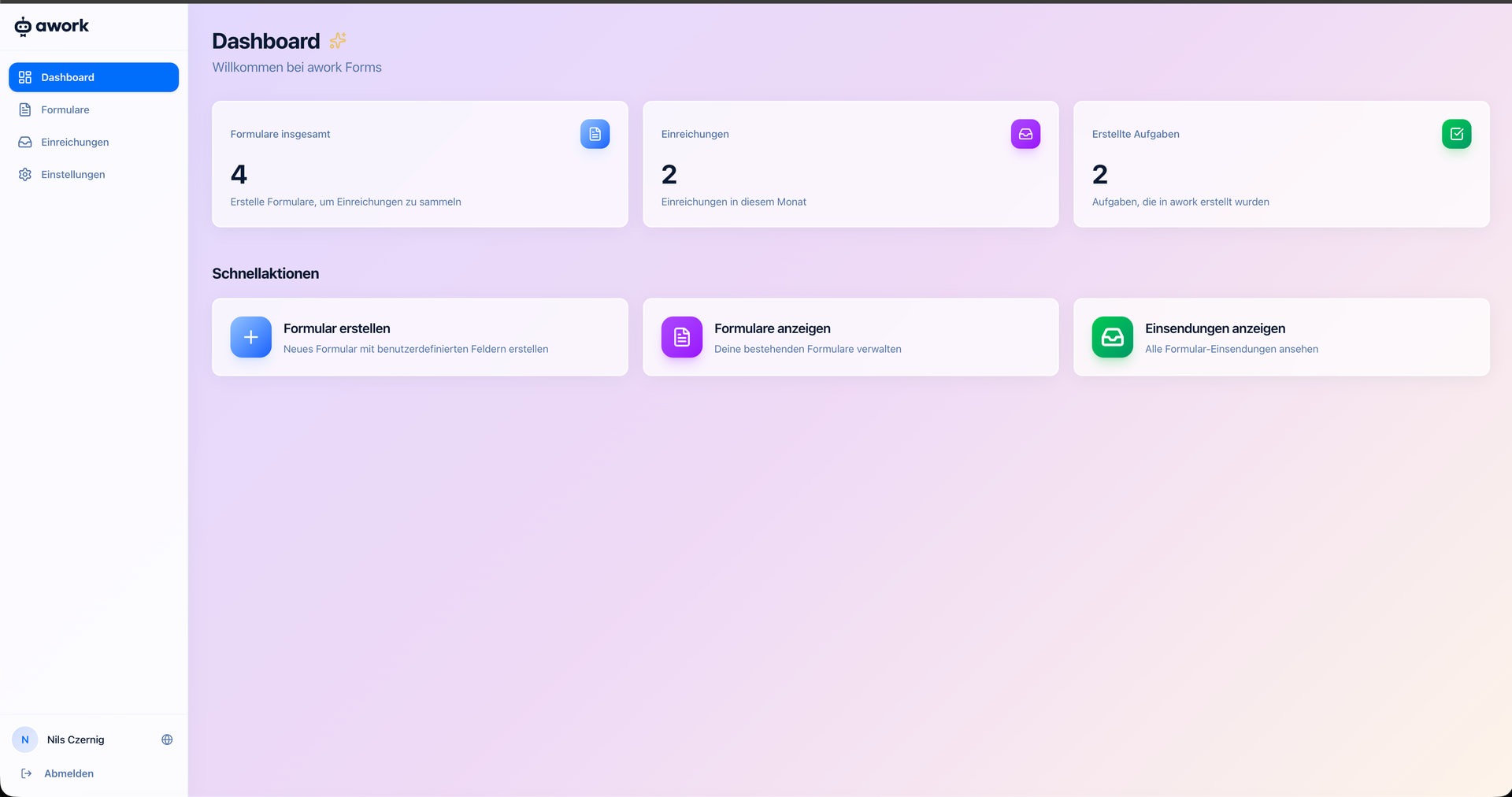
- You'll land on the Dashboard, where you'll see an overview of your forms, submissions, and created tasks.
- Click Formular erstellen to create your first form.
Create a form
When you create a form, you decide what information to collect and what happens to each submission.
Define form fields
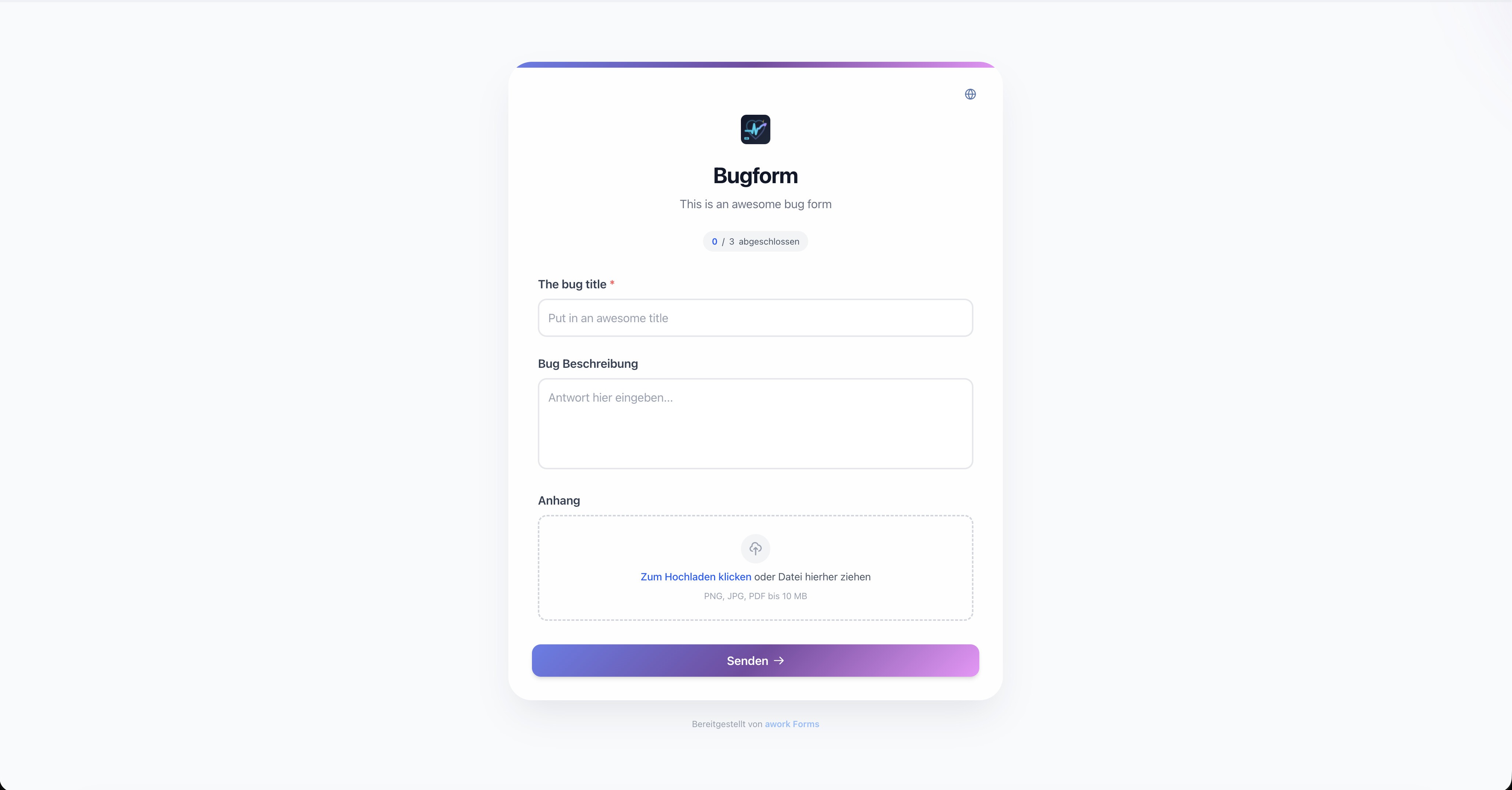
Add custom fields to collect exactly the information you need, such as a title, description, or file attachment. You can mark fields as required.
Supported file attachments: PNG, JPG, and PDF, up to 10 MB.
Set task options
Choose what happens when someone submits the form:
- Projekt und Aufgabenliste for the automatically created task
- Zuweisung to optionally assign the task directly to a user
- Priorität as the default priority for new submissions
- Weitere Felder to automatically fill in additional task fields
Share your form
Each form has a public link that you can share with customers or external partners. People submitting the form don't need an awork account. They just fill it out and click Senden.
The dashboard and submissions
The Dashboard gives you an overview of:
- Formulare insgesamt: how many forms you've created
- Einreichungen: how many submissions you've received this month
- Erstellte Aufgaben: how many tasks have been created in awork from those submissions
Use Schnellaktionen to go straight to the most important features: create a form, view forms, and view submissions.
Manage submissions
You'll find all form submissions under Einreichungen in the sidebar. From there, you can see which tasks were created and what information was submitted.
Permissions
Use Einstellungen to configure Workspace-Zugriff.
Choose whether everyone in the selected workspace can open awork Forms or whether access should be limited to selected people.
- Alle Benutzer zulassen is the recommended default. Turn this option off to limit access to selected people.
- Zugelassene Benutzer: Select the users you want to allow to access Forms.
awork admins and users with permissions to manage workspace settings always retain access, even if they aren't explicitly listed under Zugelassene Benutzer.
When creating a form, users can only select projects and task lists they have access to or that aren't private.
Known limitations and notes
- awork Forms is a standalone application and isn't yet integrated directly into awork
- Available at forms.awork.com, not through awork itself
- Available as an open-source project on GitHub: if you have developers on your team, you can host the tool yourself or contribute your own features
- awork's permission management doesn't apply to task creation through Forms:
Any user who is assigned to a project could add a task to that project through Forms.
Note: Support for awork Forms is currently provided through GitHub and the awork Community, not through regular awork Support.
FAQ
Do my customers need an awork account to fill out the form?
No. The form is publicly accessible, so people submitting it don't need an account.
Where can I access awork Forms?
Go to forms.awork.com and sign in with your awork account.
Is awork Forms integrated into the awork app?
Not yet. awork Forms is a standalone application and isn't integrated directly into awork. There are no additional costs.
Can I create multiple forms for different purposes?
Yes. You can create as many forms as you need, for example, one for bug reports and one for new requests.
Which file formats are supported for attachments?
PNG, JPG, and PDF, each up to 10 MB.
Can I host awork Forms myself or contribute new features?
Yes. awork Forms is available as an open-source project on GitHub, so you can host it yourself or contribute new features. Support is currently provided through GitHub and the awork Community.
Can I customize the form to match my branding?
awork Forms is currently in its first version. You can contribute advanced customization options through the open-source project on GitHub.
 Powered by happysupport.ai