
awork Forms
Create custom forms with required fields and file attachments, then automatically convert submissions into work tasks with assigned projects
awork Forms is a standalone form tool. External people fill out your form, and the submission is automatically created as a task in awork.
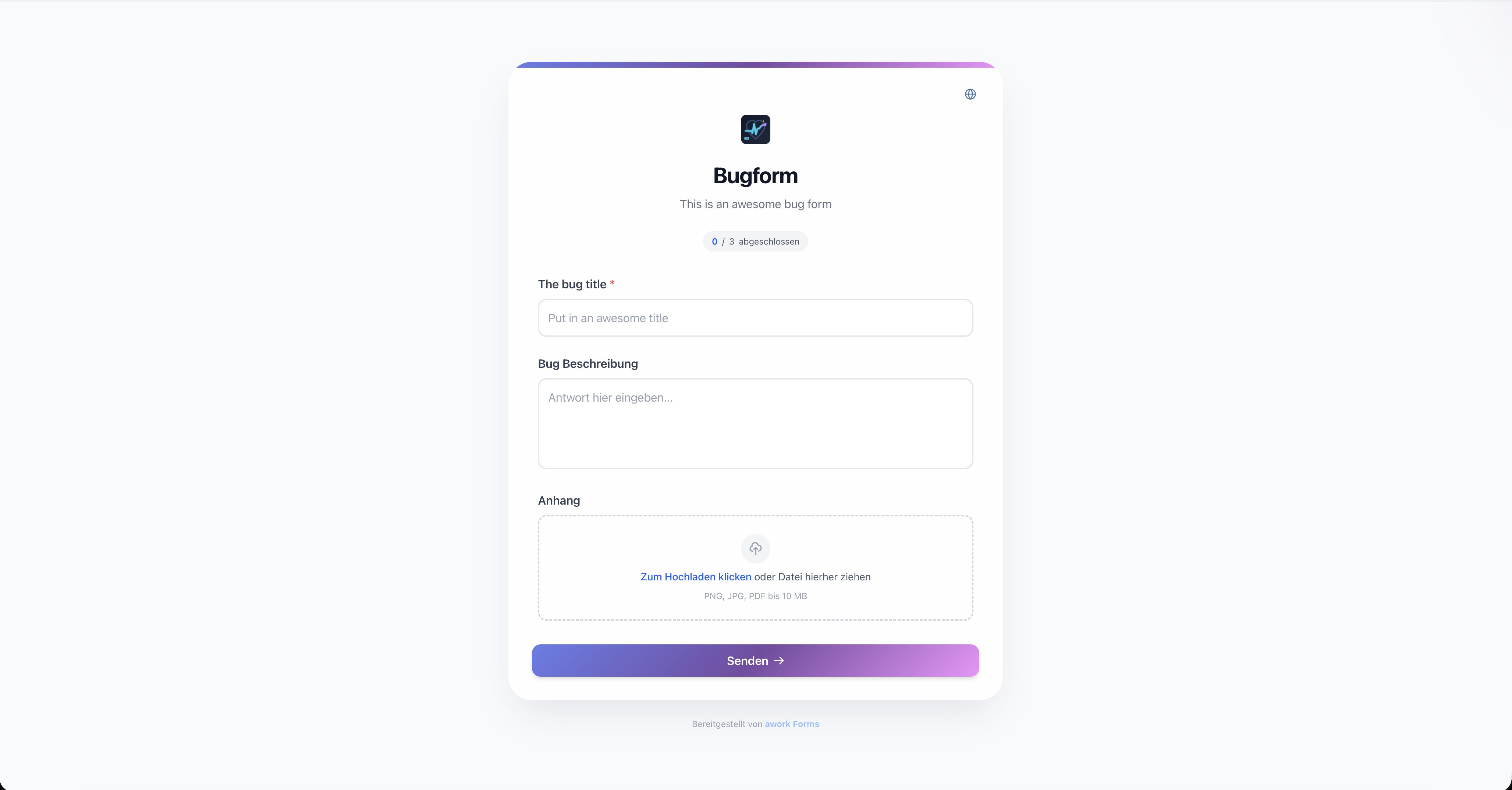
Main benefits and use cases
Use awork Forms when you want more structured input and faster processing:
- Structured request capture, so all required information comes in through a form
- Fewer follow-up questions, since you collect the right information from the start using required fields
- Automatic task creation for each submission, including project, task list, assigned person, and priority
How to use awork Forms
- Open Settings (gear icon in the bottom left of the main menu), select Forms and click the Manage Forms button or go directly to forms.awork.com.
- Sign in with your awork account.
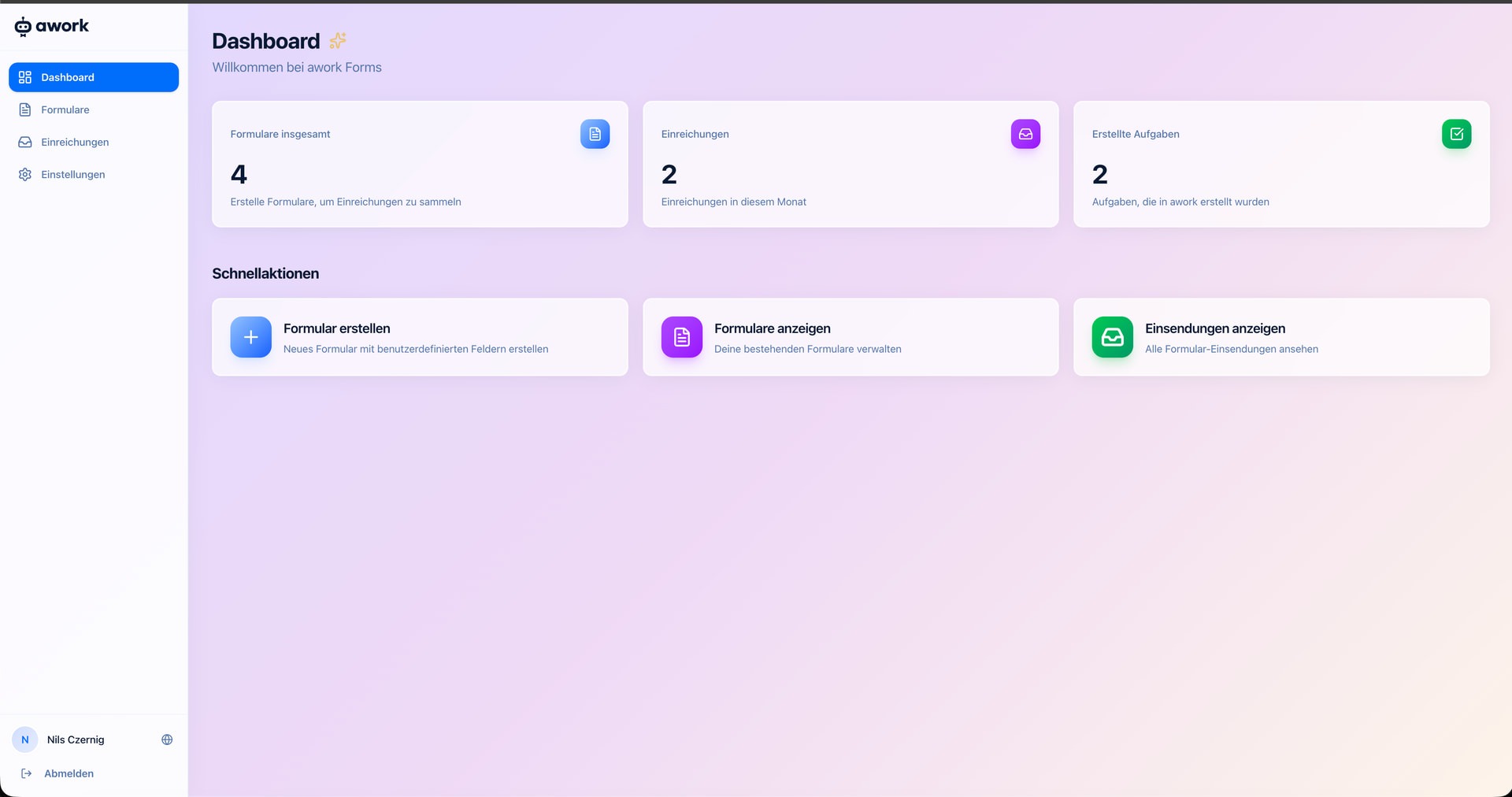
- You'll land on the Dashboard where you can see an overview of your forms, submissions, and created tasks.
- Click Create Form to set up your first form.
Creating a form
When creating a form, you decide which information to request and what happens with the submissions.
Define form fields
Add individual fields to request exactly the info you need (for example, title, description, or file attachment). You can mark fields as required.
Supported file attachments: PNG, JPG, and PDF up to 10 MB.
Set up task settings
Decide what happens when the form is submitted:
- Project and task list for the automatically created task
- Assignment optionally directly to a user
- Priority as the default priority for new submissions
- Additional fields to automatically fill in extra task fields
Share your form
Each form has a public link that you can share with customers or external partners. Submitters don't need an awork account - they just fill out the form and click Send.
The Dashboard and submissions
The Dashboard gives you a quick overview:
- Total forms - how many forms you've created
- Submissions - how many submissions came in this month
- Created tasks - how many tasks were created in awork from these submissions
Through Quick Actions, you can jump straight to the most important functions: create form, view forms, and view submissions.
Manage submissions
Under Submissions in the sidebar, you'll find all incoming form submissions. From here, you can track which tasks were created and what information was received.
Permissions
Through the Settings menu item, you can set the Workspace access.
Control whether all users in the selected workspace should be allowed to open awork Forms or only specific people.
- Allow all users is the recommended default. Disable this option to restrict Forms to a selection of people.
- Allowed users: Select the users you want to give access to Forms.
awork admins and users with workspace settings permissions always retain access, even if they're not explicitly listed in Allowed users.
When creating a form, only projects and task lists that users have access to or that are not private will be displayed for selection.
Known limitations and notes
- awork Forms is a standalone application and not yet directly integrated into awork
- Accessible via forms.awork.com - not through awork itself
- Available as an open-source project on GitHub: If you have developers on your team, you can also self-host the tool or contribute your own features
- awork permissions management does not apply to task creation via Forms:
Any user assigned to a project could add a task for that project through Forms.
Note: Support for awork Forms currently runs through GitHub and the awork Community, not through regular awork support.
FAQ
Do my customers need an awork account to fill out the form?
No. The form is publicly accessible - submitters don't need an account.
How do I access awork Forms?
Go to forms.awork.com and sign in with your awork account.
Are awork Forms integrated into the awork app?
Not yet. awork Forms is a standalone application and not directly integrated into awork.
Can I create multiple forms for different purposes?
Yes. You can create as many forms as you need - for example, one for bug reports and one for new orders.
What file formats are supported for attachments?
PNG, JPG, and PDF - up to 10 MB each.
Can I self-host awork Forms or contribute new features?
Yes. awork Forms is available as an open-source project on GitHub, so you can self-host it or contribute new features. Support is currently provided through GitHub and the awork Community.
Can I customize the form to match my branding?
awork Forms is currently in an early version. Advanced customization options can be contributed through the open-source project on GitHub.
 Powered by happysupport.ai