
Import data from Meistertask
Import your Meistertask data by exporting the CSV file, splitting columns in Excel using Text to Columns, and uploading to the awork import template
Export your data from Meistertask, copy the contents into the awork import template, and then upload it to awork.
How to import data from Meistertask
1. Export your data from Meistertask
First, you need to export your data from Meistertask. You can find instructions for exporting here: Export project data from Meistertask
2. Split the CSV into columns in Excel
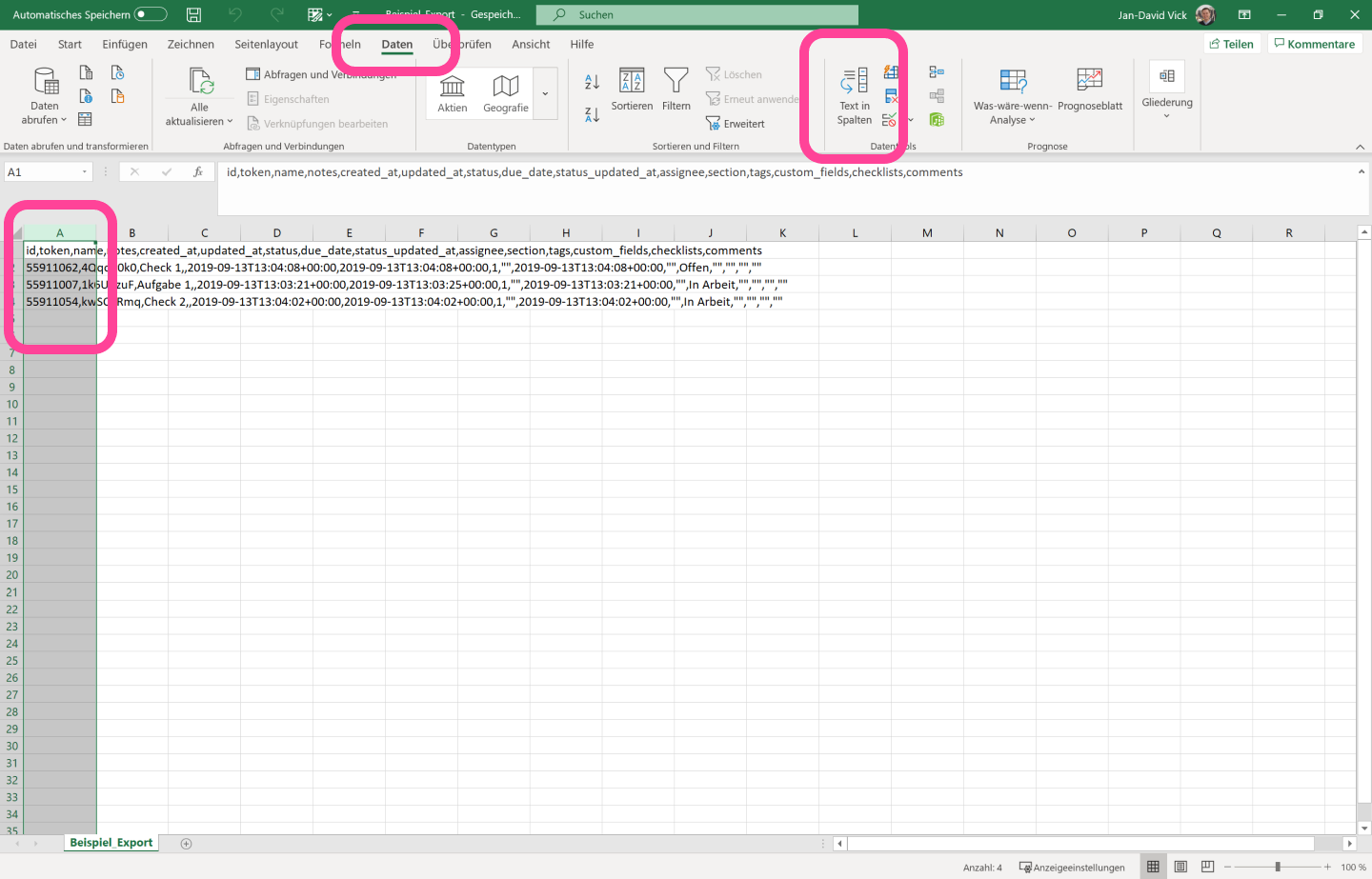
Meistertask exports your data as a .csv file. You can open it in Excel. There, all the data will appear in a single column, separated by commas.
-
Select the column containing the data
-
In Excel, go to Daten, then Text in Spalten
-
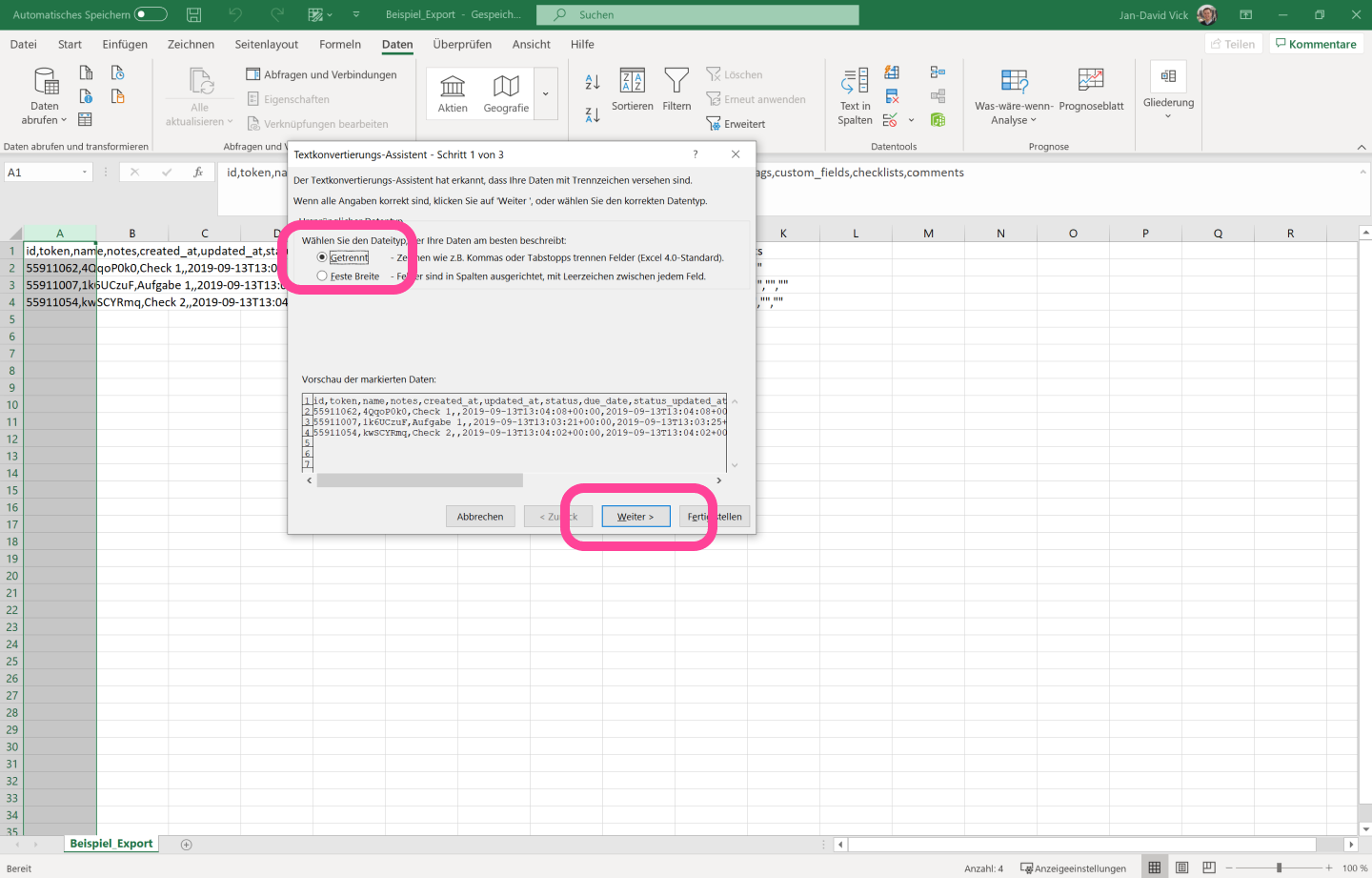
In the pop-up, select Getrennt, and click Weiter
-
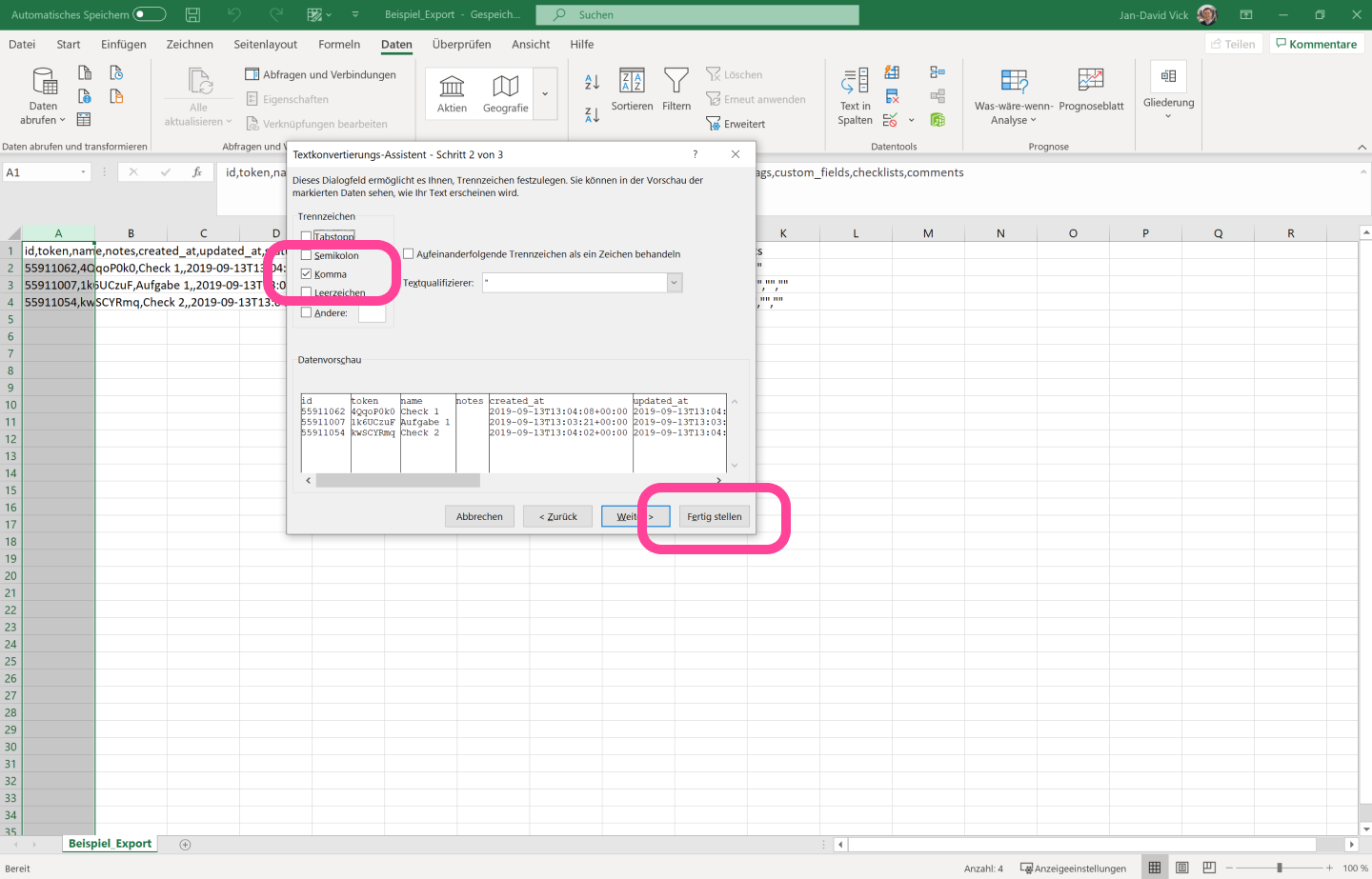
Select Komma and click Fertig stellen
3. Copy the data into the awork import template
The data will now appear in separate columns. You can copy it from there into the awork import template.
Please note: Some awork fields aren't included in the Meistertask export. The mapping table shows which fields are affected.
The fields map as follows:
awork | Meistertask |
Projektname | Field not included in the Meistertask export |
Kunde | Field not included in the Meistertask export |
Aufgabenname | name |
Beschreibung | notes |
Tätigkeit | Field not included in the Meistertask export |
Startdatum | Field not included in the Meistertask export |
Enddatum | due_date |
Geplanter Aufwand | Field not included in the Meistertask export |
Bearbeiter*in | assignee |
Status | section |
4. Upload the data to awork
You can then upload the data to awork as described here.
You need admin permissions.
Tips for a smooth import
Here's how to get your Meistertask data into a format you can use to import it into awork:
-
If everything is in one column, go to Daten → Text in Spalten in Excel and split the data by Komma
-
Use the field mapping to make sure you copy the right columns into the awork import template
FAQ
Where can I find the Meistertask export instructions?
You can find the export instructions here: Export project data from Meistertask.
What does "Field not included in the Meistertask export" mean?
It means that this awork field isn't included in the Meistertask export. The mapping table shows which fields are affected.
How do I upload the prepared data to awork?
Follow these instructions: Import data.
 Powered by happysupport.ai