
Product Update: February
Track planned effort across projects, lists, and tasks using the Planned Effort Hierarchy to monitor budgets and prevent cost overruns.
TL;DR
- New highlights in awork are the Planned Effort Hierarchy (with practical example), Gantt View & MFA
- Coming next on the Roadmap are Project and Task Keys, complex filters & cross-project task lists
- Must-read on "Why we built awork for agencies (and how)" by CPO Lucas
Feature Highlights at a Glance
New Planned Effort Hierarchy
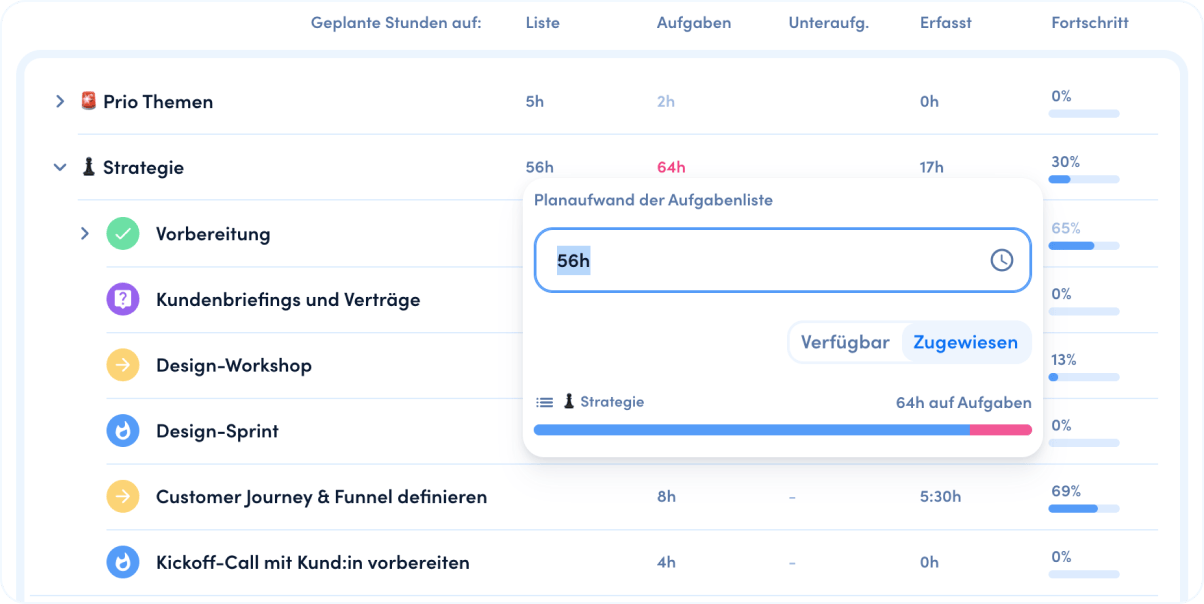
Planned effort in awork now follows a clear hierarchy: from project to lists to individual tasks and subtasks. This solves a real agency problem: Previously, you could quickly see whether you were staying within the overall budget for a project, but not whether the planned effort for individual line items like "Creative" was already over budget.
Example: You plan a project with a 100-hour budget, split into Strategy (30h), Creative (50h), and Implementation (20h). If Creative takes 60 hours to complete but you're only at 90 hours total, everything looks fine at first glance. In reality, though, you're short 10 hours somewhere else, often exactly where higher hourly rates apply.
This affects profitability and quickly leads to uncomfortable renegotiations with clients.
Here's how to use the new Planned Effort Hierarchy:
- Create a separate list in your project for each line item from your quote (e.g., Strategy, Creative, Implementation)
- Set the corresponding planned effort directly at the list level (e.g., 30h, 50h, 20h)
- Distribute the list's planned effort further down to tasks and subtasks to "consume" the budget at list level
Now you can see in your active project how much effort is still available per list (line item) - not just for the overall project. This gives you early warning signals if something goes off track, so you can course correct in time.
More details on the Planned Effort Hierarchy
Gantt View for Projects
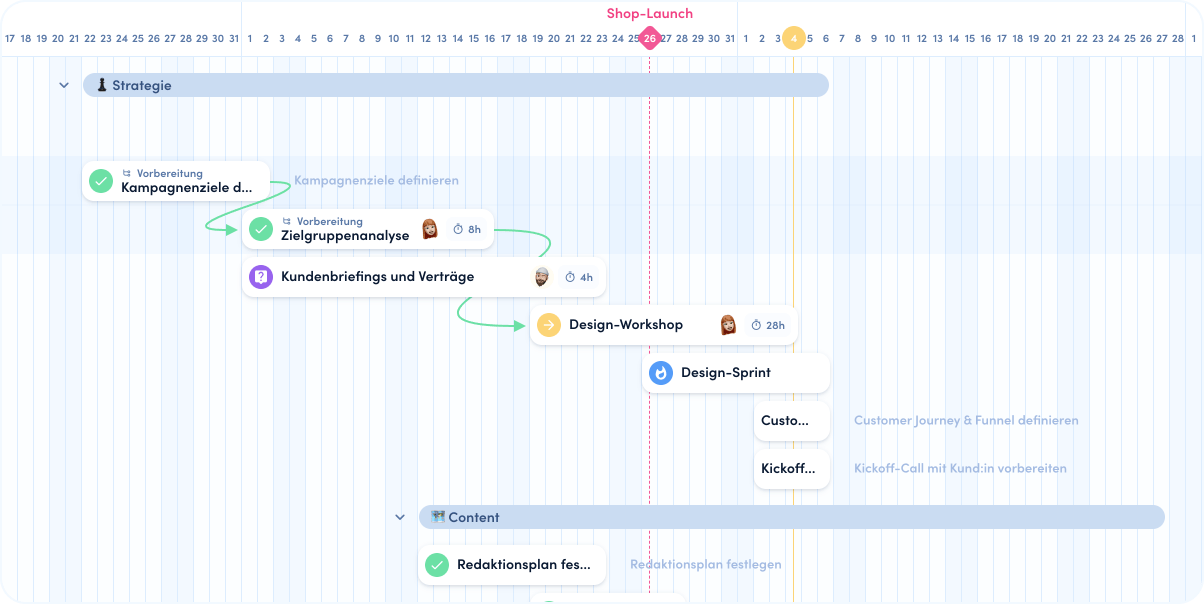
You can now visualize project plans in the timeline as a classic Gantt chart with just one click. This makes all dependencies clear and keeps you in control of timing. It's especially handy for projects that run in distinct phases (e.g., campaigns) and also helps when clients expect a clear timeline report (tip: just export it as .svg or .png).
More details on the Gantt View
MFA for High Compliance Requirements
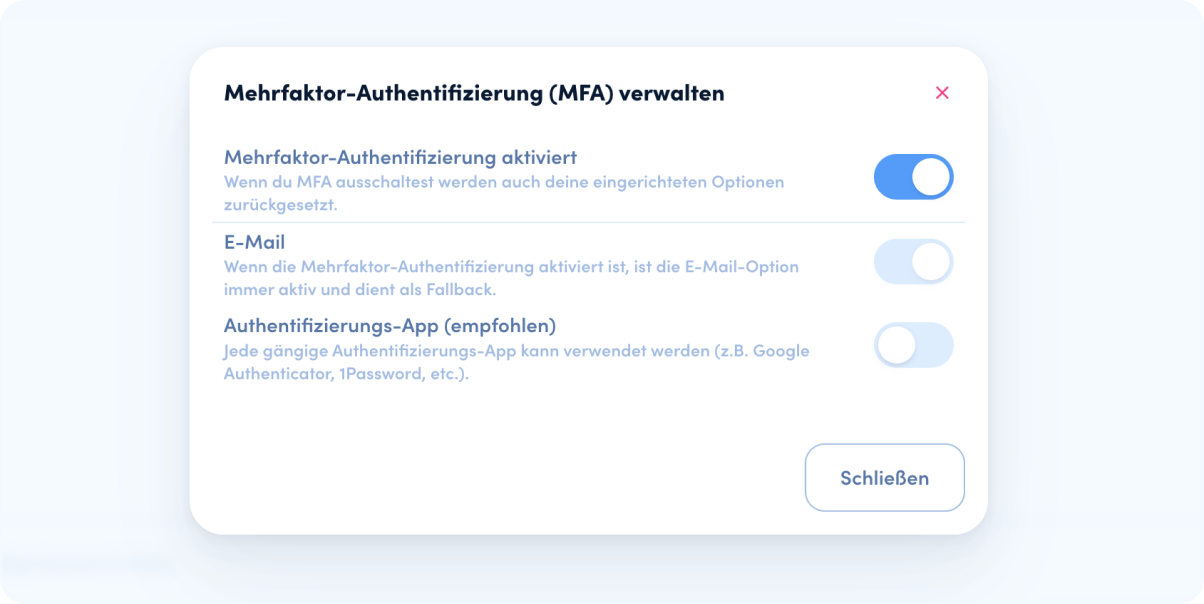
Multi-factor authentication (MFA) can now be enabled for all users in a workspace. In addition to the usual password login, you can now also secure login with an email code or authenticator app. This is especially important when you're working with sensitive client data that requires higher security standards.
What's Coming Next
We're focusing awork even more on agency workflows and working on highly requested features:
- Project and Task Keys: Quick and unique identification of projects and tasks
- Complex Filters: Create, combine, and share filter groups
- Cross-Project Task Lists: See all tasks across projects at a glance
Must-Read
Our CPO Lucas recently started a newsletter on LinkedIn where he explains why we built awork specifically for agencies and why we're not trying to be everything for everyone. Definitely worth a read if you want to know where awork is headed. As a bonus, he also gives a sneak peek into the new UI design.
Got questions or feedback on this format? Feel free to reach out, we appreciate every suggestion!
 Powered by happysupport.ai