
awork Agent or Your Own Agent: When Do I Use What?
Create custom agents with specific instructions, tools, and capabilities to automate recurring workflows and tasks in your awork account.
The awork Agent is your flexible AI helper for everyday tasks. Your own agents turn recurring tasks into fixed, reusable workflows.
Key Benefits and Use Cases
Agents in awork work well for both spontaneous tasks and recurring processes.
The key difference:
- awork Agent: You describe what you need for each task anew
- Your Own Agent: You configure an agent once for a specific purpose and then reuse it
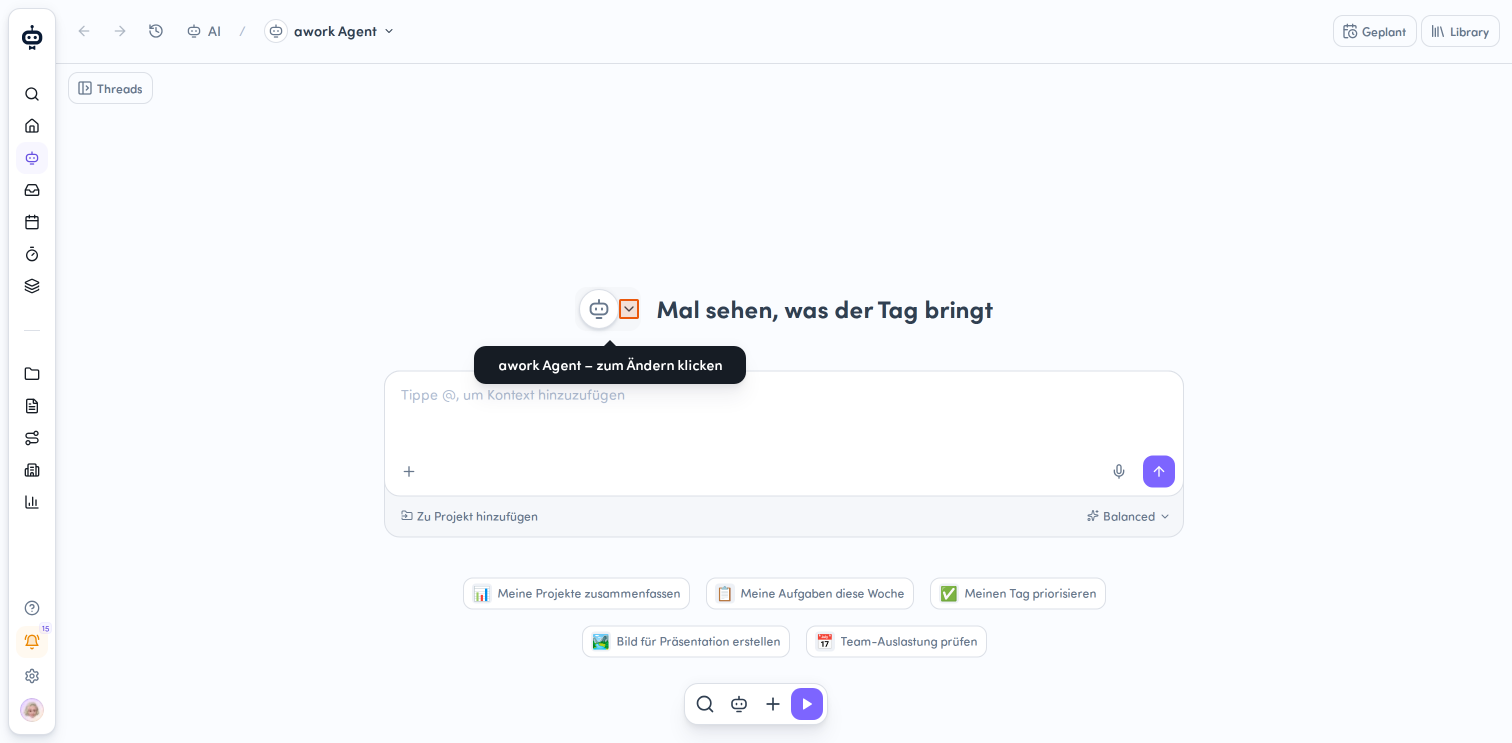
The AI Thread is where you work with the awork Agent or your own agent.
What is the awork Agent?
The awork Agent is the built-in agent in awork. It's particularly useful for tasks that come up spontaneously or differ from case to case.
For example, you can:
-
Search for information in awork
-
Analyze data from awork
-
Ask a question about a project
-
Summarize content
-
Translate content
-
Prepare or make a specific change in awork
-
Search the web
-
Generate images
-
Access connected external tools when appropriate connectors are available
-
Process files
You can specify customers, projects, or other awork objects as context directly in your prompt.
What is Your Own Agent?
Your own agent is a saved, named, and versioned agent for a specific task, role, or workflow.
You define once how this agent should work and which capabilities it's allowed to use.
You can configure, among other things:
-
Name and description
-
Instructions and personality
-
Model
-
Tools
-
Skills
-
Connectors
-
Avatar
-
Sharing
Your own agent can thus purposefully use the same available capabilities for a specific purpose.
When Do I Use the awork Agent?
Use the awork Agent when your task is spontaneous or you want to define the process differently each time.
This works especially well when you:
-
Have a one-off question
-
Want to quickly research information
-
Want to analyze a project or data
-
Want to summarize or translate content
-
Want to complete a specific task in awork
You don't need to create your own agent for this.
When Do I Create My Own Agent?
Your own agent is worthwhile when you want to handle a task regularly in a similar way.
Typical use cases include:
-
Recurring tasks
-
Standardized workflows
-
Fixed roles
-
Specific company requirements
-
Tasks requiring certain skills or connectors
You set up the process once and don't have to describe it completely anew each time you use it.
Your own agent can then be reused repeatedly, shared with other users, or run automatically.
From First Chat to Your Own Agent
A good starting point is to first solve a new task with the awork Agent in an AI Thread.
If you notice that you keep:
-
using the same instructions
-
needing the same information
-
following the same steps
-
needing the same skills or connectors
this can become your own agent.
Tip: Start with the awork Agent and only standardize once a recurring workflow becomes clear.
Using Your Own Agents in an AI Thread
Your own agents aren't limited to automated processes.
When creating a new thread, you can select your own agent and work with it directly in the AI chat.
This lets you combine the benefits of both levels:
- AI Thread: The actual workflow and current conversation
- Your Own Agent: The permanently saved instructions, skills, connectors, and other configuration
Running Your Own Agents in Tasks and Projects
You can run your own agents directly in a task or project.
This works especially well when the agent should take the specific work context into account.
For example, an agent can:
-
Run a project health check
-
Analyze a task
-
Work on tasks using a defined procedure
The agent is executed. It's not added permanently as a responsible party.
Automating Your Own Agents
Your own agents can be automated beyond the AI Thread.
You can:
-
Run them in tasks
-
Run them in projects
-
Start them from comments
-
Use them as an action in awork automation
-
Run them on a schedule
This is especially helpful when a process should run automatically on a regular basis.
Examples include:
-
Weekly project health checks
-
Regular project reviews
-
Recurring project comments
-
Automatic notifications
awork Agent vs. Your Own Agent
| awork Agent | Your Own Agent |
|---|---|
| For spontaneous and varying tasks | For recurring and standardized tasks |
| Instructions are formulated in each thread | Instructions and behavior are already configured |
| General-purpose agent | Specialized for a specific purpose |
| No setup needed | Configure once and reuse |
| Can use skills, tools, and connectors | Can be equipped with specific skills and connectors |
| Can be used in AI Threads | Can additionally be run in tasks, projects, comments, automations, or on a schedule |
What Both Agents Have in Common
The difference between the general awork Agent and your own agent mainly lies in how much the work process is predetermined.
- The awork Agent is flexible to use.
- Your own agent is specialized and reusable.
Both can work with relevant context and, depending on their configuration, use tools, skills, and connectors.
A Simple Decision Guide
Ask yourself this question: "Will I probably need this again in the same way?"
- If the answer is No, start with the awork Agent.
- If the answer is Yes, your own agent is worth it.
If the process should additionally be run automatically or regularly, your own agent is especially useful.
FAQ
Is the AI chat the same as the awork Agent?
Not quite. The AI chat is the interface, or the AI Thread, where you work with an agent. By default, you work with the awork Agent there, but you can also select your own agent.
Can I use my own agent in the AI chat?
Yes. When starting a new thread, you can select your own agent.
When should I create my own agent?
Especially when you want to use a task, role, or workflow regularly and in a similar way.
Can my own agent run automatically?
Yes. Your own agents can be run as an automation or on a schedule.
Do I need to create my own agent if I only use AI occasionally?
No. For spontaneous tasks, the awork Agent is the simpler starting point.
 Powered by happysupport.ai