
Using prebuilt agent templates
Accelerate workflow setup by choosing prebuilt agent templates for brand safety, brief reviews, and campaign strategy, then customize them
Get started quickly with prebuilt agent templates for common tasks, without having to build an agent from scratch. Simply choose a suitable template and adapt it to your workflow as needed.

Key benefits and use cases
- Prebuilt agents help you handle recurring tasks in a structured way and get them done faster.
- Each agent specializes in a specific use case, from reviewing briefs and developing campaign strategies to meeting follow-ups and project and time analysis.
- You can use the templates as they are or adapt them to your workflow with your own guidelines, templates, personas, rules, and other resources.
The 8 prebuilt agents
All agents use your workspace's current Balanced model: GPT-6.1 Sol.
Brand Safety Checker
Checks ideas, content, channels, and partners for brand, reputation, claims, cultural, and partner risks. The agent separates facts, sources, assumptions, and open questions, and prioritizes actions.
Ideal for: Brand safety checks before approval.
Customizable with: Brand guidelines, target audiences, markets, exclusions, claim evidence, and approval workflows.
Reasoning: High
The result is not a final brand or legal approval.
Briefing Checker
Reviews client briefs before work begins. It assesses ten key fields, highlights gaps and contradictions, and prioritizes the most important follow-up questions. It can also create a re-brief if needed.
Ideal for: Briefs, emails, or notes before getting started.
Customizable with: Briefing templates, client requirements, approval rules, required information, and examples.
Reasoning: Medium
Strategy, copywriting, and design are not part of the review.
Campaign Strategy Drafter
Uses the offer, objective, and target audience to develop a clear campaign direction, from insight and hook to campaign concept and channel prioritization. Missing information is clarified or flagged as assumptions.
Ideal for: Early campaign ideas and strategy development.
Customizable with: Brand guidelines, personas, examples, budgets, approval rules, and briefs.
Reasoning: High
Meeting Follow Up Drafter
Turns emails, notes, and transcripts into clear next steps. It separates tasks, information, and decisions, identifies gaps and duplicates, and shows you a preview before creating anything.
Ideal for: Meeting follow-ups and preparing new tasks.
Customizable with: Project guidelines, responsibilities, quality criteria, suggestion lists, and decision logs. You can connect Google Workspace or Microsoft 365 directly.
Reasoning: Medium
Persona Reviewer
Evaluates concepts from the perspective of relevant personas. It assesses relevance, value, clarity, tone, trust, and willingness to act, and provides traffic-light ratings, risks, and specific suggestions for improvement.
Ideal for: Reviewing concepts before the next review stage.
Customizable with: Persona profiles, client and brand context, research, and quality criteria.
Reasoning: High
The result is a simulated target audience hypothesis, not a validation with real people.
Project Health Analyst
Shows whether a project is on track or needs attention. It assesses deadlines, milestones, tasks, effort and budget, blockers, responsibilities, and activity, among other things, and highlights risks, data gaps, and next steps.
Ideal for: Project status updates and recurring health checks.
Customizable with: Health criteria, budget limits, project phases, pause rules, and report structure.
Reasoning: High
Project Planner
Turns briefs, ideas, and change requests into a clear project plan. It structures objectives, phases, tasks, effort, milestones, dependencies, and approvals, and shows the impact of changes.
Ideal for: New projects and replanning existing ones.
Customizable with: Templates, estimation rules, phases, working-day rules, approvals, and client profiles.
Reasoning: High
Time Tracking Analyst
Checks time data for gaps, duplicates, and unusual durations, answers questions, and creates client-ready reports. If you ask, it can create or correct individual entries.
Ideal for: Time reviews, project reports, and preparing for invoicing.
Customizable with: Time-tracking guidelines, types of work, billing rules, note conventions, templates, and client requirements.
Reasoning: Medium
How to create an agent from a template
Choose a suitable agent template and use it to create your own agent. You can then adapt the agent to your workflow and add additional resources.
Depending on the use case, agents can clarify missing information with you or flag it as provisional.
-
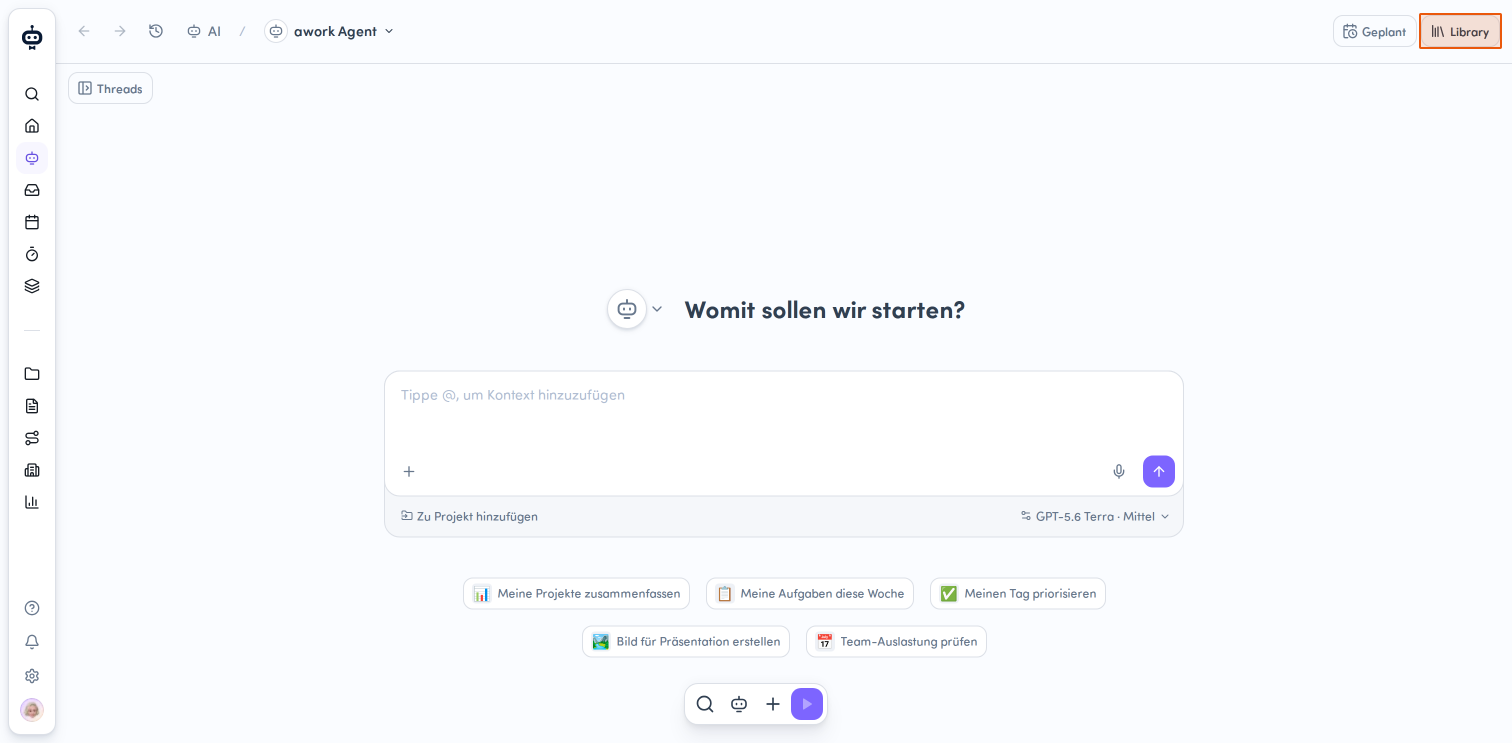
Open the AI-Menü and click the Library button in the top-right corner.
-
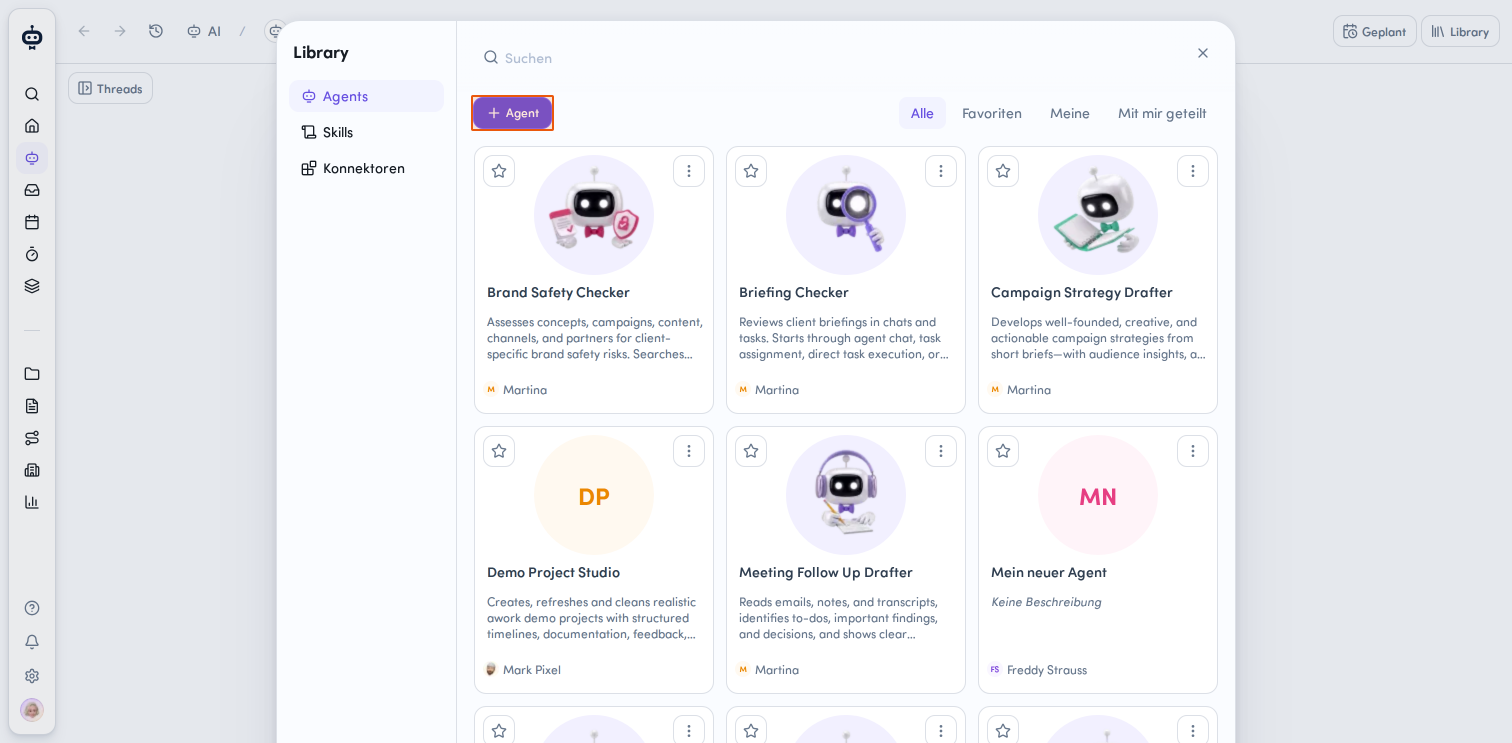
Neuen Agent hinzufügen
In the Library, you'll see a category selector on the left. Select Agents, then click the + Agent button. -
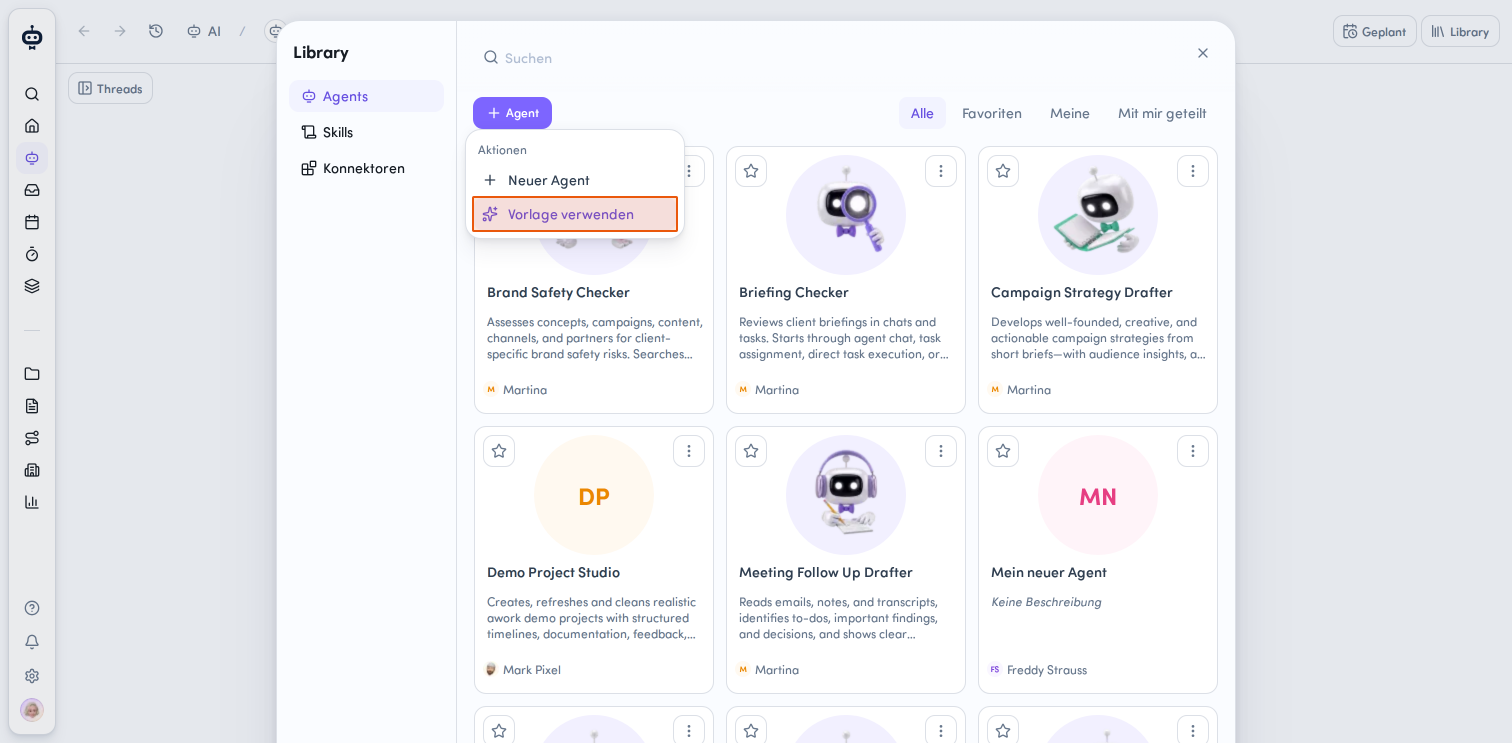
Vorlage auswählen
A dropdown menu with various actions will open. Select Vorlage verwenden to access the available agent templates.
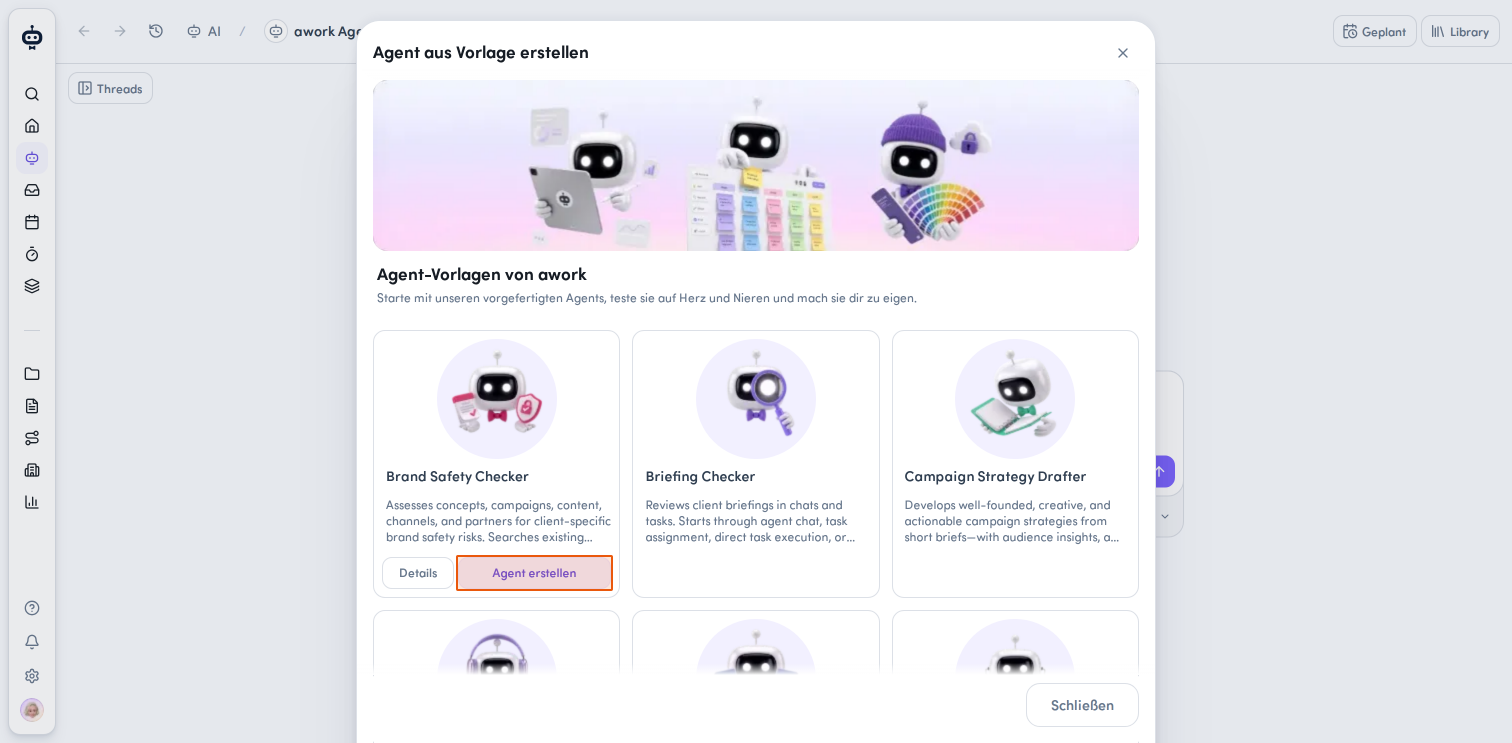
- Agent aus Vorlage erstellen
A new window titled „Agent aus Vorlage erstellen" will appear. Here you'll find various prebuilt agent templates from awork. Each template includes a short description of what it does. Choose the template you want and click the Agent erstellen button on its card. If you need more information about a template, click Details first, then click Diesen Agent in meine Library kopieren at the bottom of the window.
Your new agent will now be created based on the template you selected and will be available in the Library. From there, you can customize it further and configure it for your needs.
Best practices and notes
- Use the templates as a starting point and add the information your team works with. The more specific your guidelines, templates, criteria, and project data are, the more tailored the agents' responses can be.
- Each agent gives you specific examples of how to use it in chat, from projects or tasks, and, where available, through automations.
- Agents work with the information available to them and flag missing details, assumptions, or uncertainties. Where changes can be made, they are made only at your explicit request or with your approval.
FAQ
Do I need to configure an agent myself?
No. The templates already provide a foundation for their respective use cases. You can use them as they are and customize them further if needed.
Can I customize a template after selecting it?
Yes. You can add your own guidelines, templates, personas, criteria, budgets, or other relevant resources, depending on the agent.
 Powered by happysupport.ai