
Building AI Context in awork Docs
Store your agency and client knowledge in awork Docs to provide awork Agents with the right context for accurate, informed work across projects and tasks
Store your agency and client knowledge in awork Docs so that awork Agents can work with the right context.

Key Benefits and Use Cases
Great AI results start with the right context. Your agents need information about your agency, your clients, and how you work.
The central place for this is the Docs section. That's where you build the knowledge structure your agents will work with.
In addition, agents use the context they're running in:
-
Project and task
-
Mentioned documents
-
Mentioned clients
The more you maintain your docs and projects, the better your results will be. Create spaces with appropriate
Knowledge that's documented in your docs doesn't need to be written into a prompt every single time.
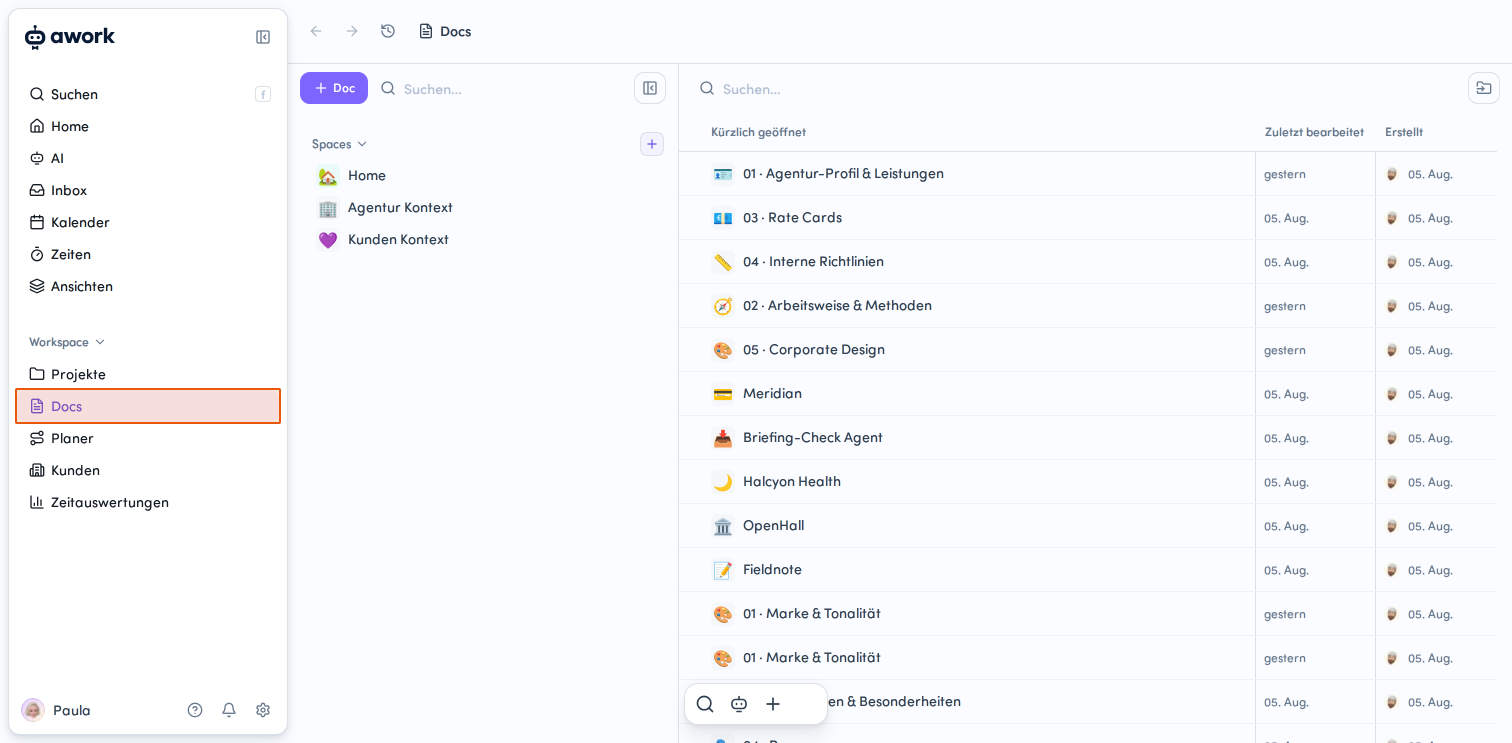
Setting Up Agency Context
We recommend building your agency information in clearly separated areas. This keeps the context organized and prevents individual docs from becoming unnecessarily lengthy.
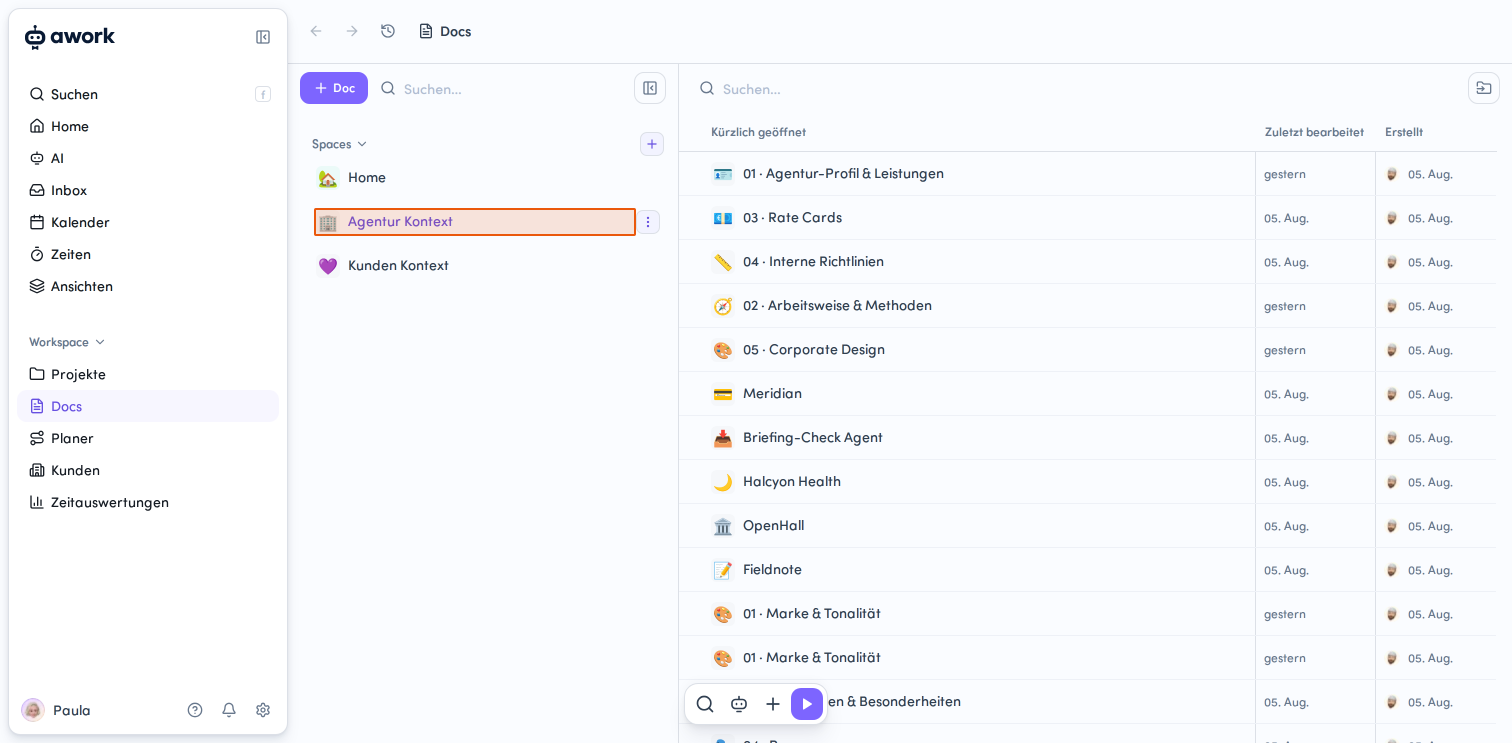
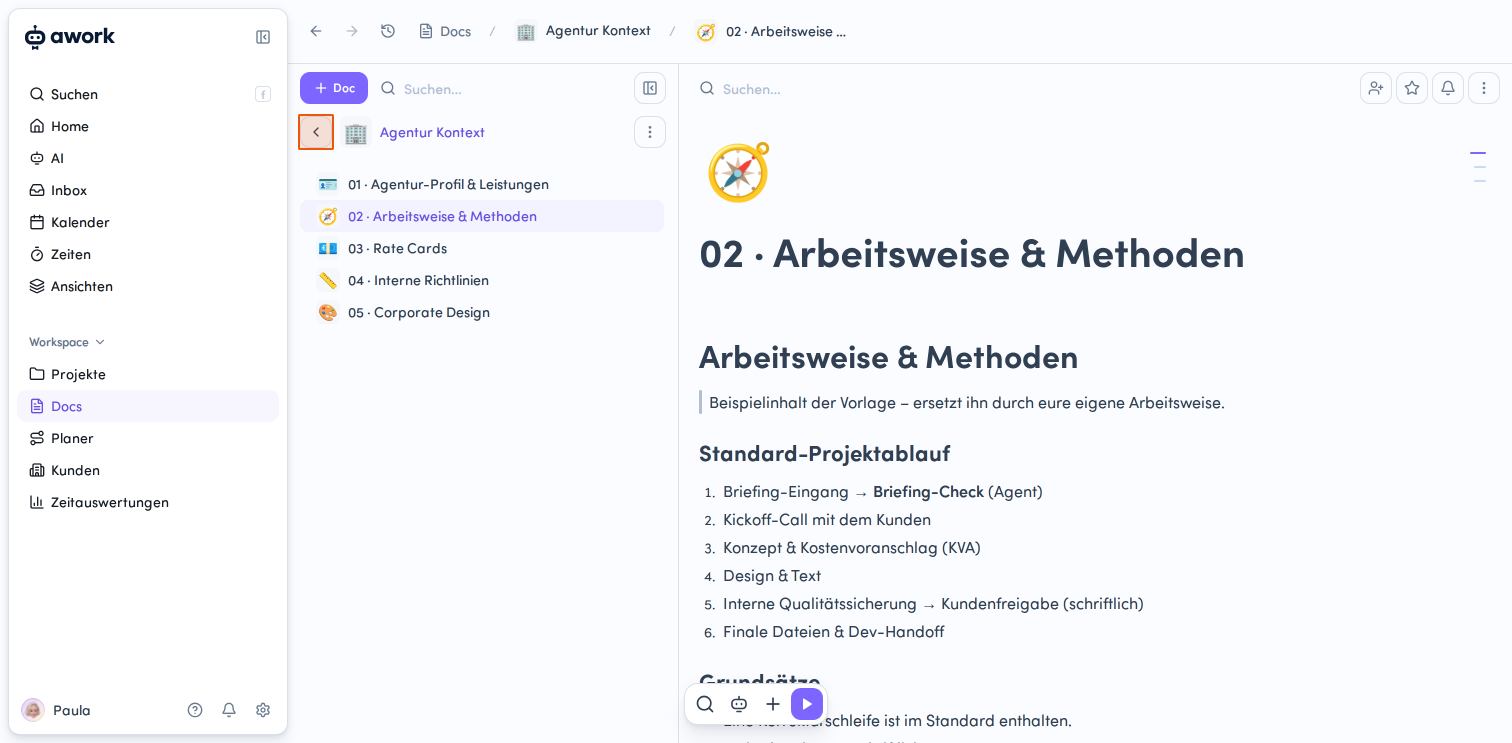
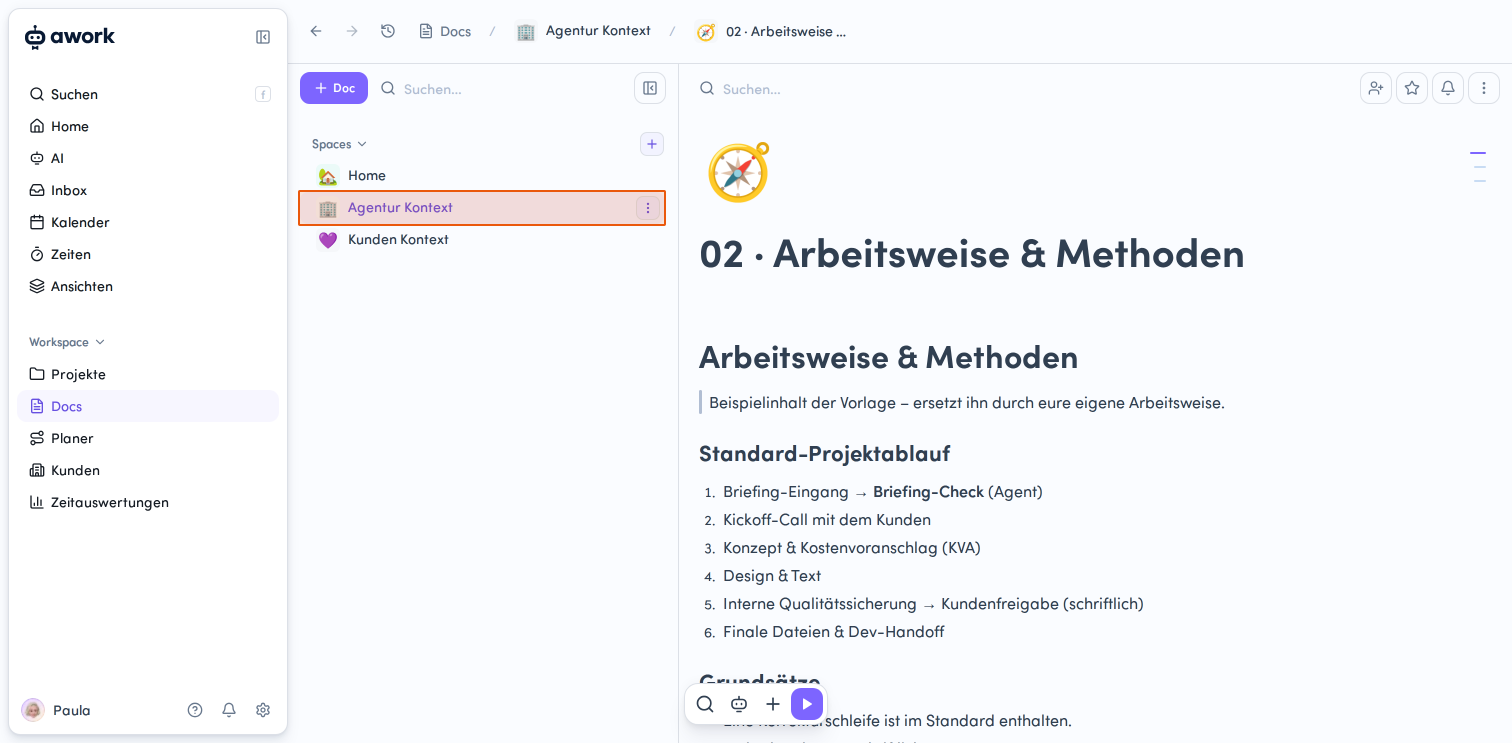
For agency context, we recommend a Space with the following areas as individual docs:
-
Profile and services
-
Work processes and methods
-
Rate cards and pricing
-
Internal guidelines
-
Brand identity and tone
1. Profile and Services
Briefly describe what your agency stands for and what you offer.
Include information like:
-
Agency profile: Industry, focus, and relevant clients
-
Services: Your core offerings
-
Team structure: Departments, disciplines, or other relevant structures
The information should be clear enough that a new team member can get oriented quickly.
2. Work Processes and Methods
Document your standard workflows and recurring ways of working.
Here's an example of a standard project workflow:
-
Briefing received
-
Briefing review
-
Re-briefing call with client
-
Concept and quote
-
Design and copywriting
-
Internal quality assurance
-
Written client approval
-
Production, final artwork, or print specifications
Also document binding principles for projects here.
Examples from the setup:
-
One revision round is included in the standard
-
Approvals are always given in writing
-
Legal review happens before every print specification
3. Rate Cards and Pricing
Document your standard hourly rates.
You can structure these by discipline, seniority level, or your internal organization.
Important: Client-specific deviations are stored in the respective client profile and take precedence.
4. Internal Guidelines
Document rules that are important for your daily collaboration.
These include, for example:
-
File storage and naming
-
Handling of confidential data
-
AI usage
-
Client communication
Tip: Imagine you need to onboard a new team member. Everything they need to know that isn't self-evident should be documented here.
5. Brand Identity and Tone
Store the information your AI needs for content and communication.
This includes:
-
Brand idea
-
Logo and logo guidelines
-
Primary and accent colors
-
Typography
-
Tone of voice
This is especially relevant when your AI is formulating emails or putting together quotes.
Setting Up Client Context
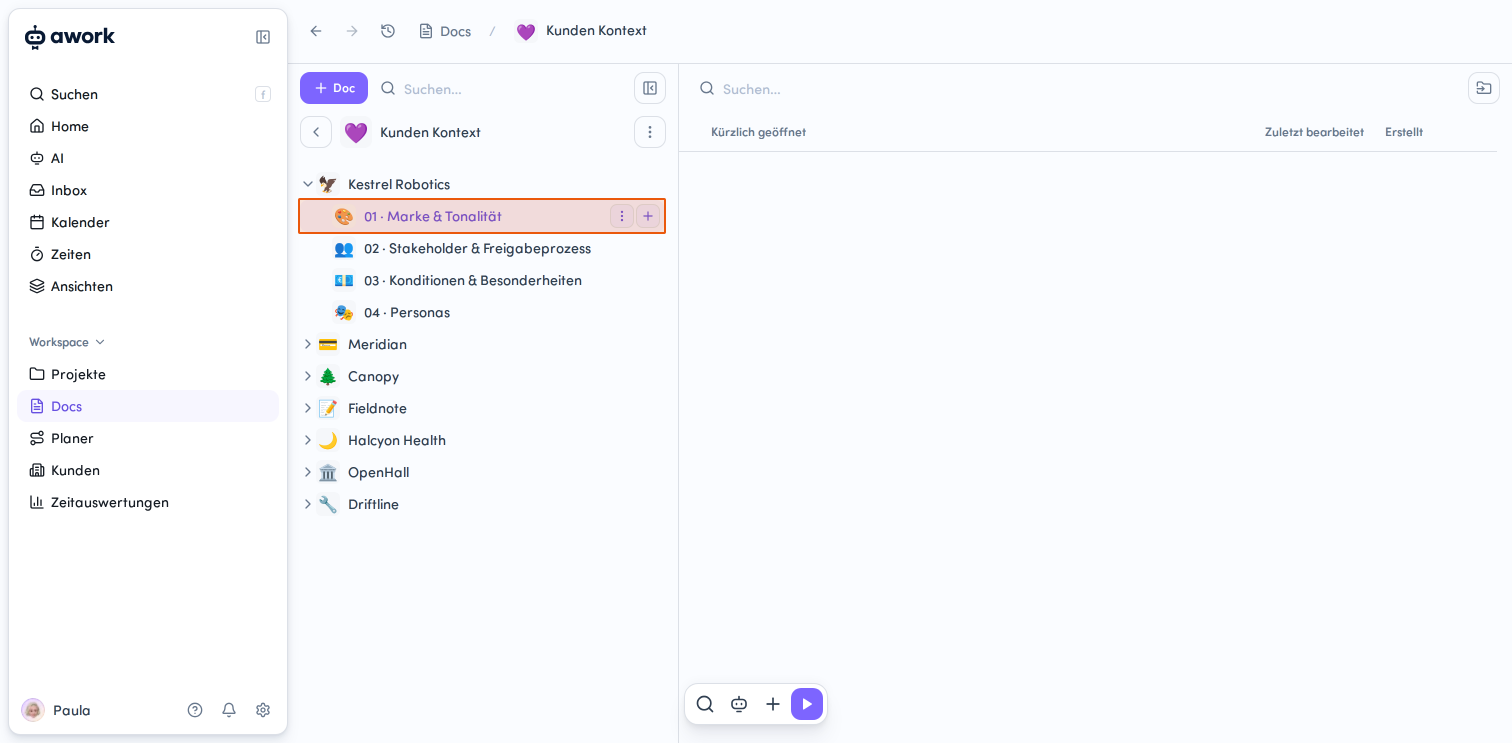
Create a Space for client context and set up a separate area as a doc for each client, with subordinate docs underneath. The structure should be as consistent as possible across all clients.
Recommended docs per client:
-
Brand and tone
-
Stakeholders and approval process
-
Terms and special conditions
-
Personas
1. Brand and Tone
Store the most important information about the brand.
This includes:
-
Brand essence
-
Tone of voice
-
Visual identity
-
Legal and regulatory requirements
2. Stakeholders and Approval Process
Document all relevant contacts and their responsibilities.
Store:
-
Names
-
Roles
-
Responsibilities
-
Approval processes
-
Response times
This makes it clear who can approve which content.
3. Terms and Special Conditions
Store individual agreements that differ from your standard terms.
These can include:
-
Adjusted hourly rates
-
Retainer terms
-
Monthly flat fees
-
Special collaboration rules
-
Periods with special priority
Examples:
-
No visuals featuring competitor products
-
Spring and Christmas campaigns take priority
-
Collaboration is on a first-name basis
4. Personas
Document your client's personas in awork Docs.
This way, both your team and your AI can access the same information later.
Adding Project-Specific Context
Projects can also contain their own information for agents. A project can, for example, include a doc called For Agents.
This can contain:
-
Who's responsible for the project
-
How tasks should be handled
-
When the project is considered critical or unhealthy
-
What rules apply specifically to the project
Example of a project rule: A project is considered unhealthy if more than 20 hours have been logged in the current calendar month or a specific task list contains more than five tasks.
The agent can use these project rules together with the workspace context.
Creating Workspace Context
With awork Docs, you create a structured knowledge base for your AI with all the important details about your agency, clients, methods, or specific guidelines.
Workspace Context (Settings > Workspace Context) forms the shared foundation for your entire workspace: You store the most important information about your organization, how you work, and your general rules:
- who we are
- how we work
- what terminology we use
- what general rules and standards apply
- what roles and responsibilities exist
This information is available to all AI agents as shared context.
You can organize the more detailed and specific information in your docs and continue to maintain it there.
Users with access to workspace settings and AI permissions have access to workspace context in settings.
👉 Learn more about how to set up workspace context in awork: Workspace Context for AI.
Best Practices for AI Context
- Don't build your context all at once. Start with the information that's most important for your agency and your clients.
- Make sure you clearly separate general agency knowledge from client-specific information.
- Document rules, roles, and work processes in a way that would be understandable to a new team member.
- The more relevant knowledge you've already documented in awork Docs, the less you'll need to explain repeatedly in prompts.
FAQ
What information belongs in agency context?
This includes, for example, profile and services, work processes and methods, rate cards and pricing, internal guidelines, and brand identity and tone.
What information belongs in client context?
For each client, we recommend information about brand and tone, stakeholders and approval processes, terms and special conditions, and personas.
Do I need to write information into the prompt every time?
No. Information that's already in your documents doesn't need to be written into a prompt every time.
What additional information do agents use?
In addition to docs, agents also use the context they're running in. This includes project and task, mentioned documents, and mentioned clients.
Can an agent permanently remember information?
Only if you explicitly confirm it.
How detailed should the context be?
Start with the basic information and expand your context step by step. Information, rules, and work processes that are important for your daily work are particularly relevant.
 Powered by happysupport.ai