
Workspace Context for AI
Configure Workspace Context in AI settings to provide agents with shared knowledge about your company, methods, and rules for consistent responses.
With Workspace Context, you give your agents shared knowledge about your company, how you work, and your rules.

Key Benefits and Use Cases
Workspace Context is shared background knowledge for all agents in your workspace.
You can use it to define, for example:
-
What your company does
-
What you use the workspace for
-
What types of projects you work on
-
How you work
-
Which internal conventions apply
-
Which rules and guidelines agents should follow
This way, relevant information doesn't need to be described separately for each agent.
How Workspace Context Works
Workspace Context is broken down into smaller components. It's not simply transferred in full to the context with every AI run. Instead, the agent can use the parts that are relevant to the specific request when needed.
This way, general company information, working methods, and rules can be taken into account in different situations.
Example of a workspace rule: Times are generally rounded to the full hour.
When an agent analyzes recorded times, they can take this information into account in their work.
Workspace Context does not extend an agent's permissions. It provides shared knowledge and rules. Which tools and actions an agent can actually use is controlled separately.
Creating Workspace Context
Only users with access to workspace settings and AI permissions have access to workspace context.
-
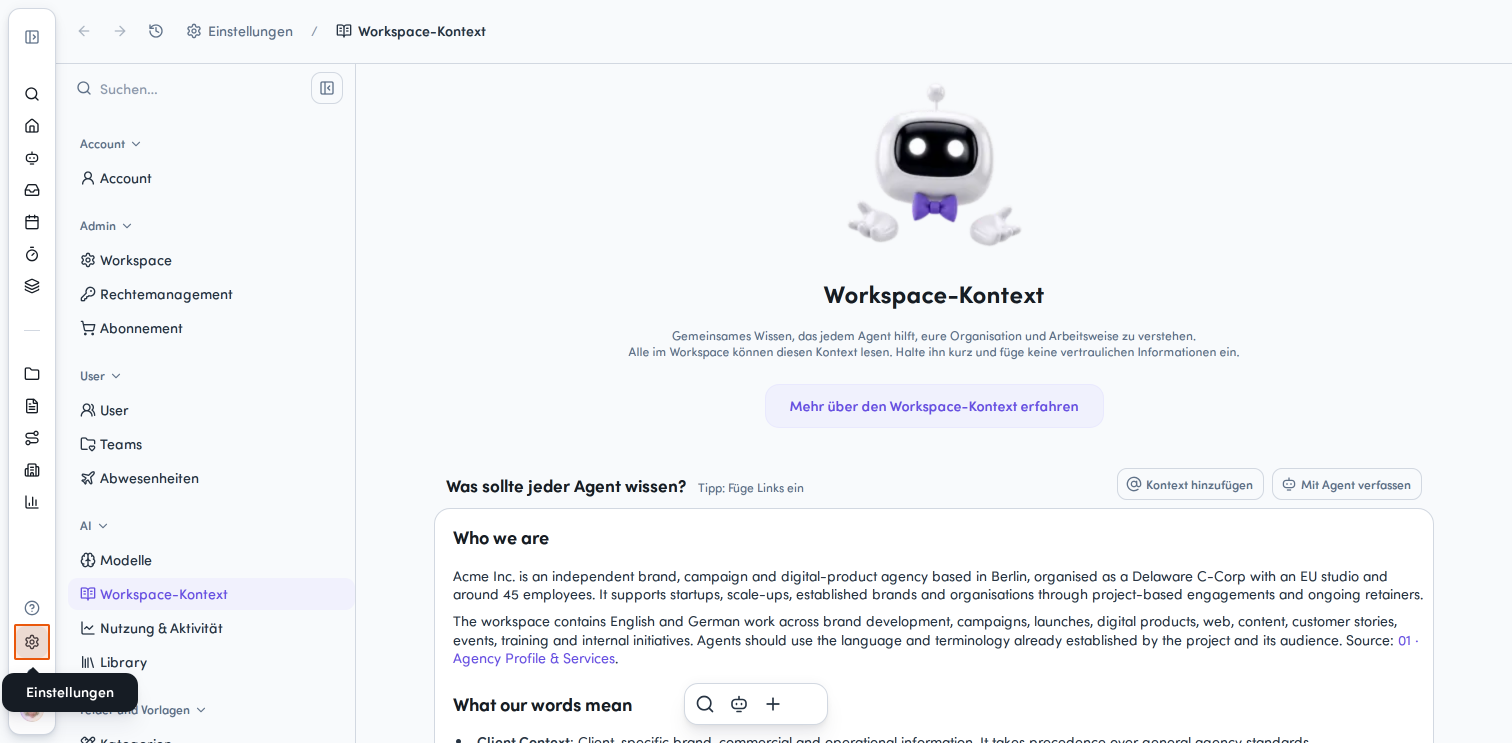
Open Settings (gear icon in the bottom left of the main menu).
-
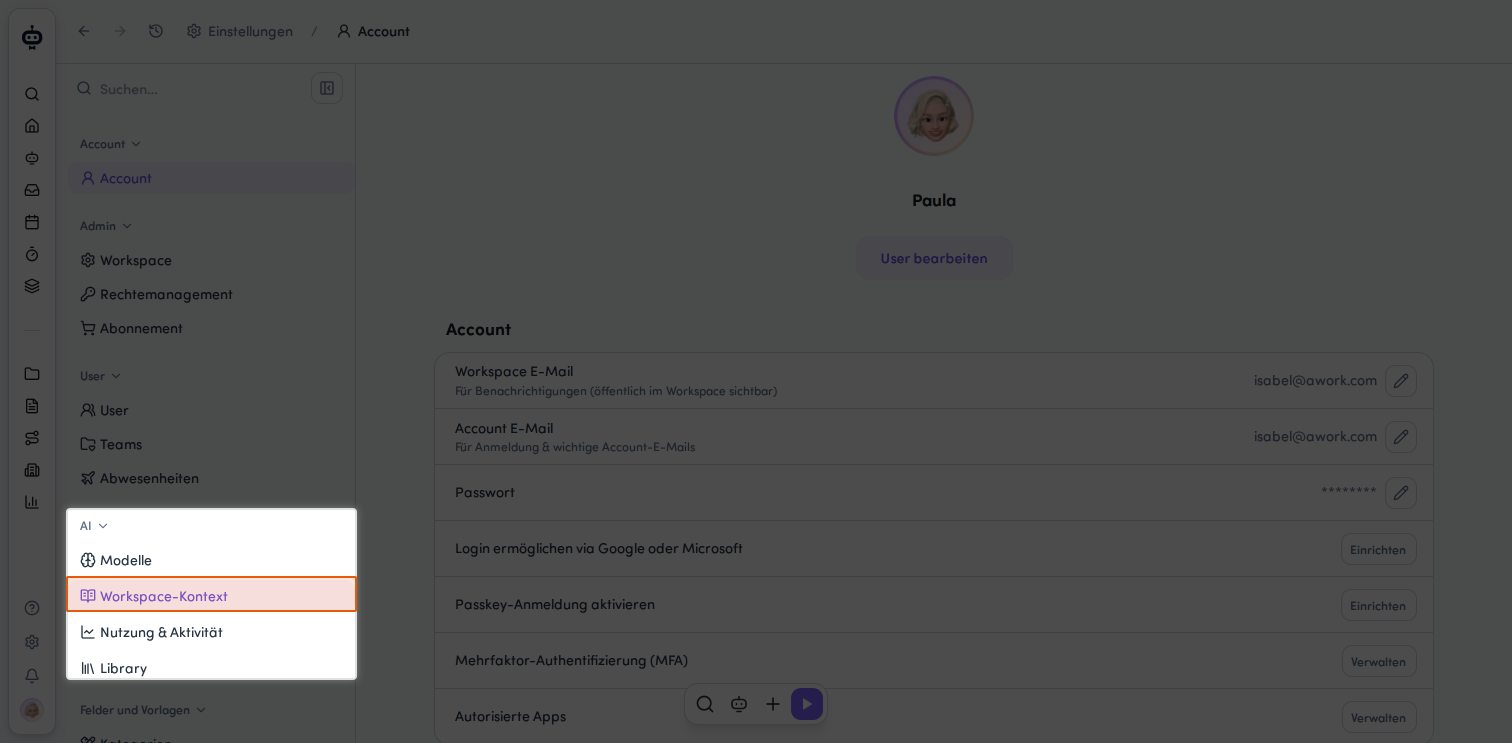
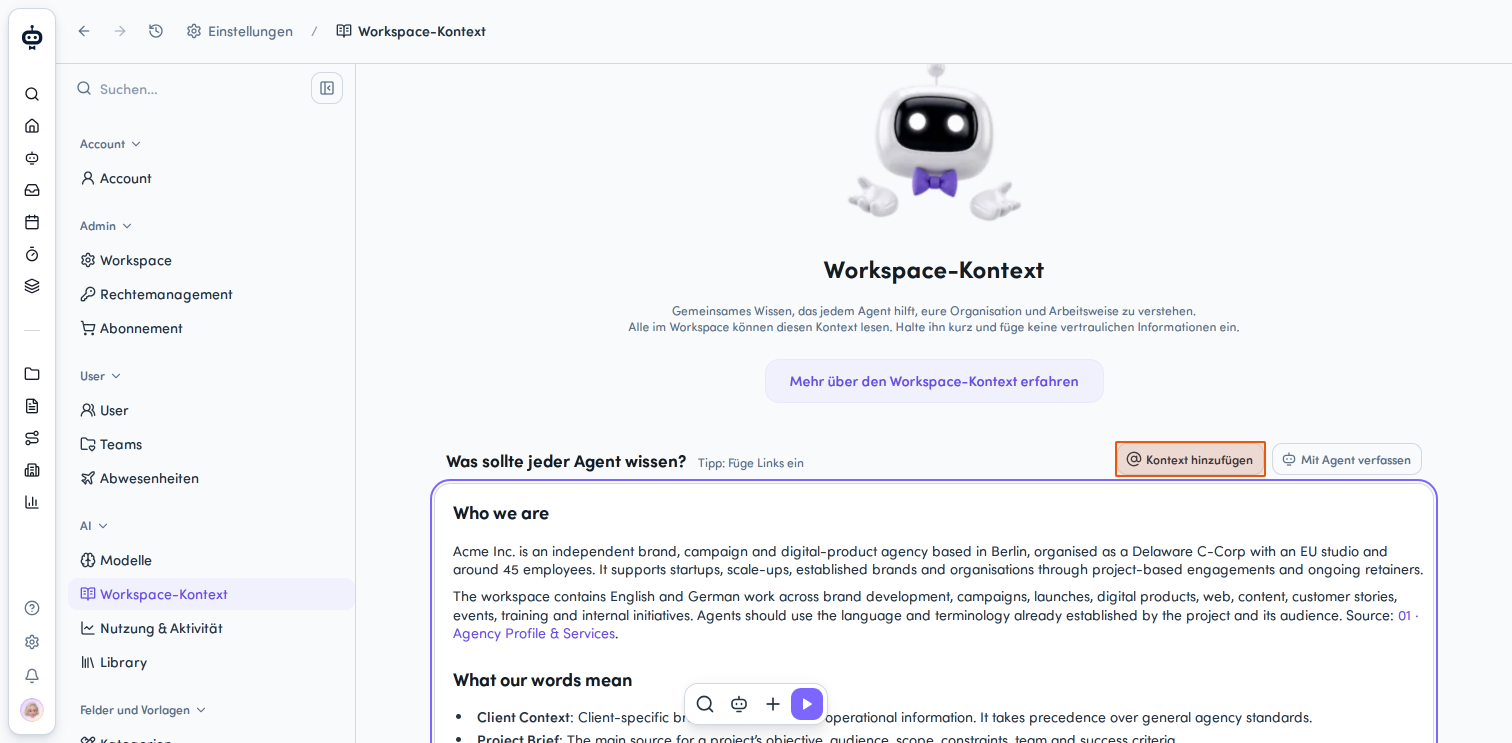
Navigate to the AI category and select Workspace Context from the menu.
-
In the text field What should every agent know?, write all relevant details and agreements.
Keep your text brief and avoid confidential information.
Creating Content with the awork Agent
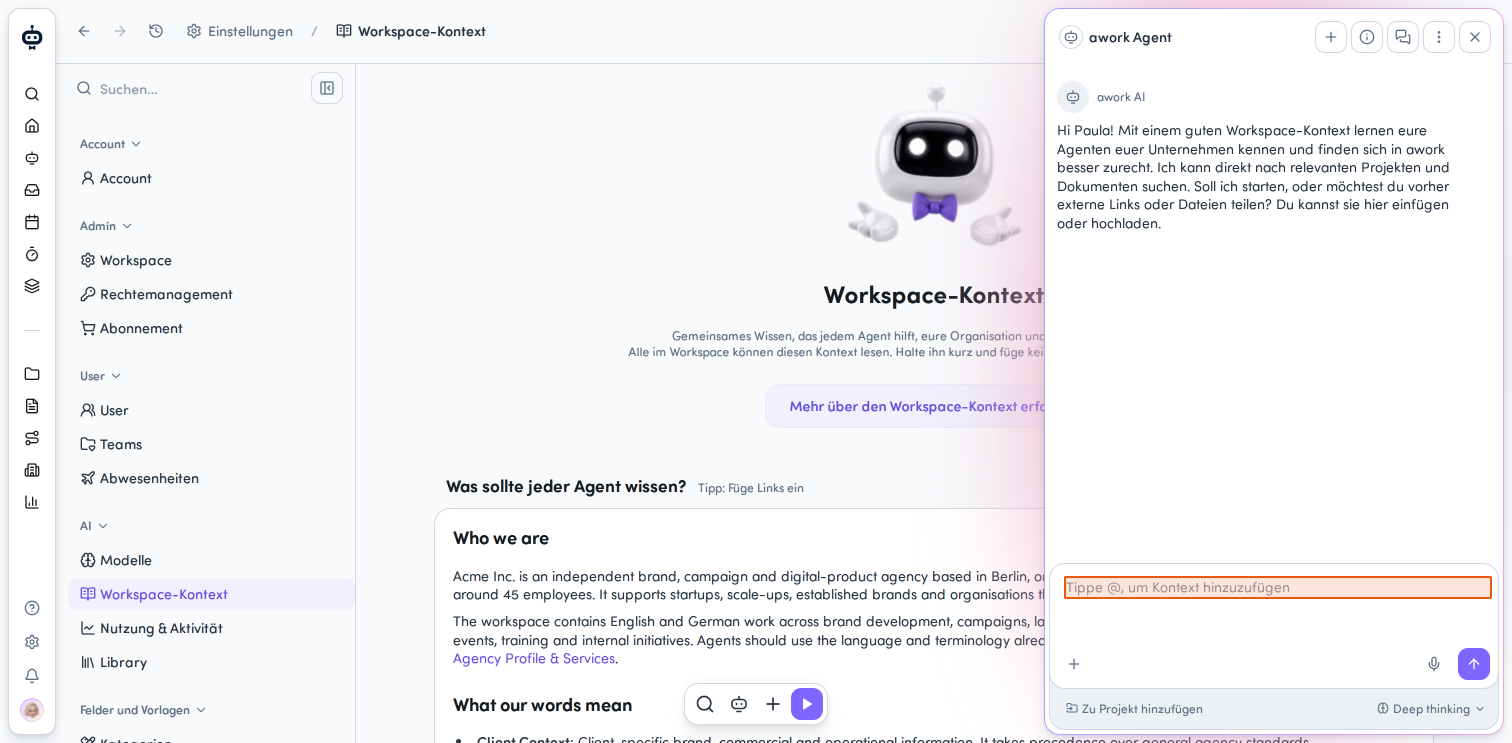
The awork Agent can help you create Workspace Context. The agent can analyze existing documentation and then ask questions to complete the relevant context.
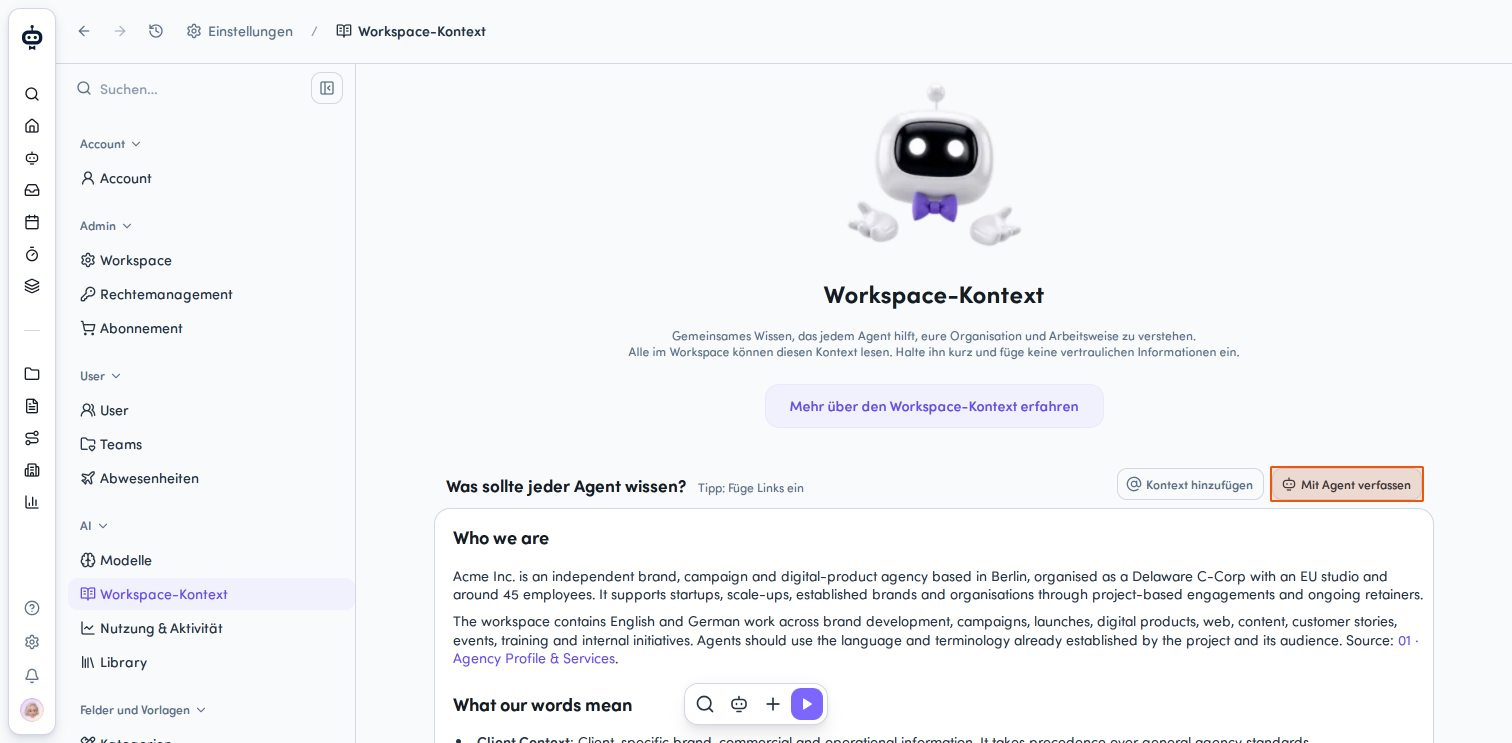
Click the Create with Agent button in the top right above the text field to use the awork Agent to help you create or edit your Workspace Context.
The awork Agent panel opens on the right side.
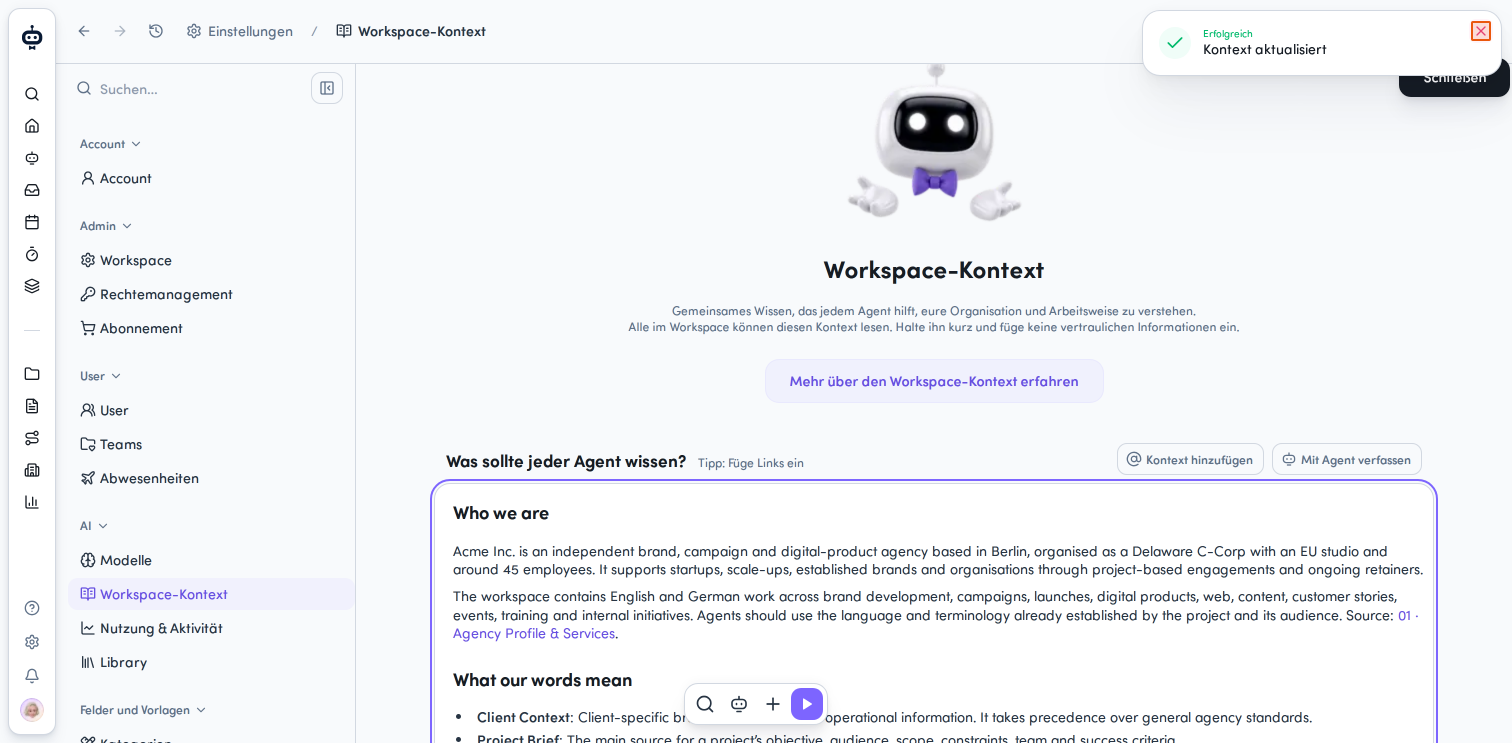
Changes are applied immediately once you click outside the context, which is automatically updated. A success message Successfully - Context updated appears in the top right of the screen.
Referencing Context
Add links or reference individual awork objects.
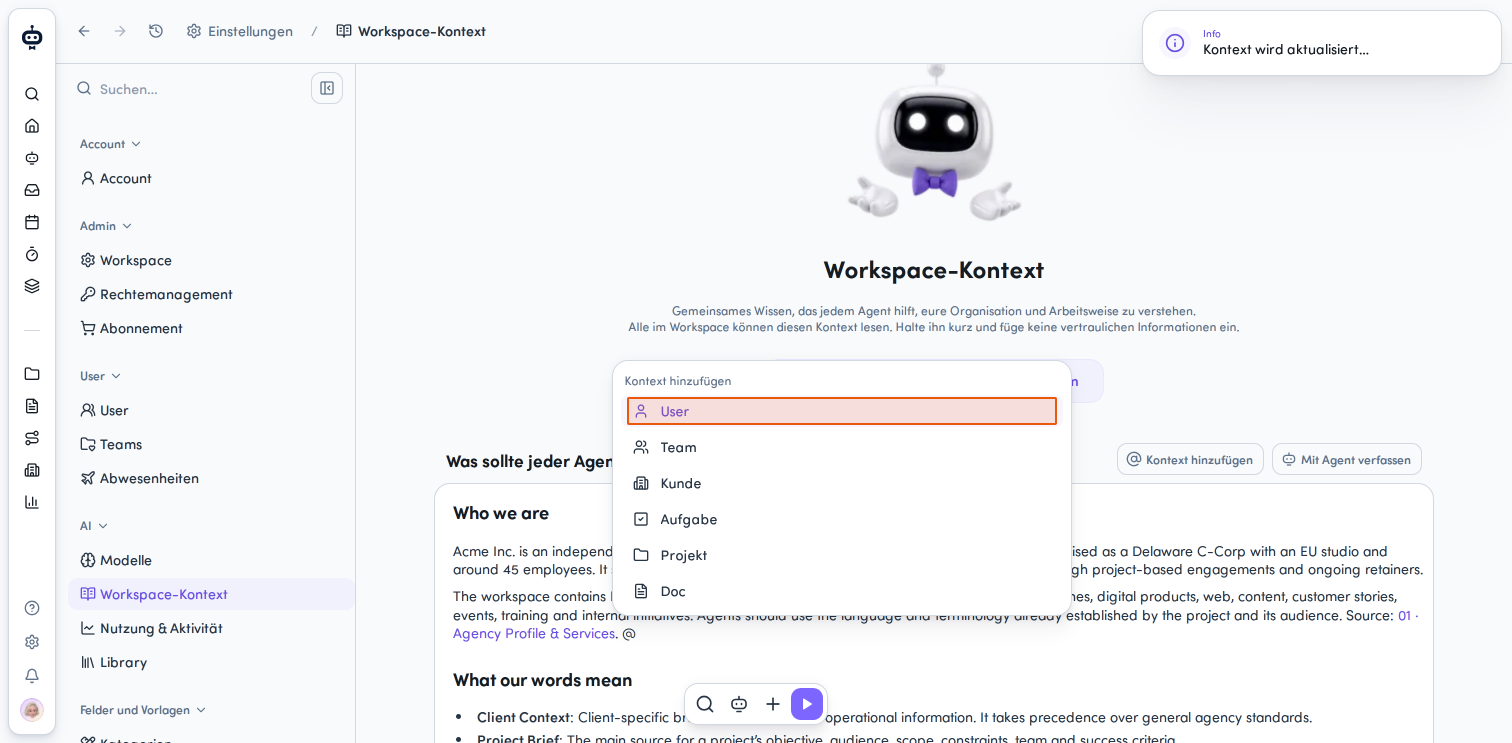
- Click the Add Context button above the content area. Or type @ directly in the input field. A dropdown menu with different context types opens.
- Select the desired context type from the dropdown menu. The following options are available to you:
- User - Information about users
- Team - Information about teams
- Customer - Customer information
- Task - Task-related context
- Project - Project information
- Doc - Document-related context
Building Specific Context in Docs
In addition to workspace-wide context, build specific agency and customer context in awork Docs so your agents can work with it.
👉 Learn more: Building AI Context in awork Docs
FAQ
What is Workspace Context?
Workspace Context is shared background knowledge for the awork Agent and your own specialized agents within a workspace.
What information belongs in Workspace Context?
For example, company knowledge, project types, working methods, internal conventions, rules, and guidelines.
Does Workspace Context give an agent additional permissions?
No. Workspace Context provides knowledge, but not additional tools or permissions.
 Powered by happysupport.ai