
n8n Integration
Connect awork with other apps using n8n's Community Node or HTTP Request Node to automate data syncing, processing, and bidirectional workflows without coding
n8n is an extensible open-source platform for workflow automation that lets you integrate awork with apps and services without any coding knowledge.
Key benefits and use cases
Use n8n to automatically connect workflows between awork and your other tools.
- Automate data flows by connecting awork with other services and apps
- Work in both directions by pulling data from awork, processing it, and passing it on - or sending data back to awork
- Build workflows visually by creating and connecting nodes in n8n's graphical interface
How n8n integration works
n8n uses nodes to connect awork with other services and apps. Nodes act as interfaces through which you can perform actions in both directions.
Workflows are created by setting up nodes and connecting them together. You start with a trigger (start node) and then add nodes with the following actions.
Supported actions in n8n for awork:
- Delete
- Get
- Head
- Options
- Patch
- Post
- Put
Tip: If you want the quickest way to get started, begin with the Community Node. If you need something more custom, use API calls with the HTTP Request Node.
How to use n8n integration
Create an n8n account
Sign up for an n8n account (n8n offers a 14-day free trial).
Set up the integration
To set up the n8n integration in awork, you have two options:
- Use the Community Node to add awork as a regular tool in n8n with pre-built automations
- Use custom API calls with the HTTP Request Node if you need automations that aren't covered by the Community Node
Option A: Install the Community Node
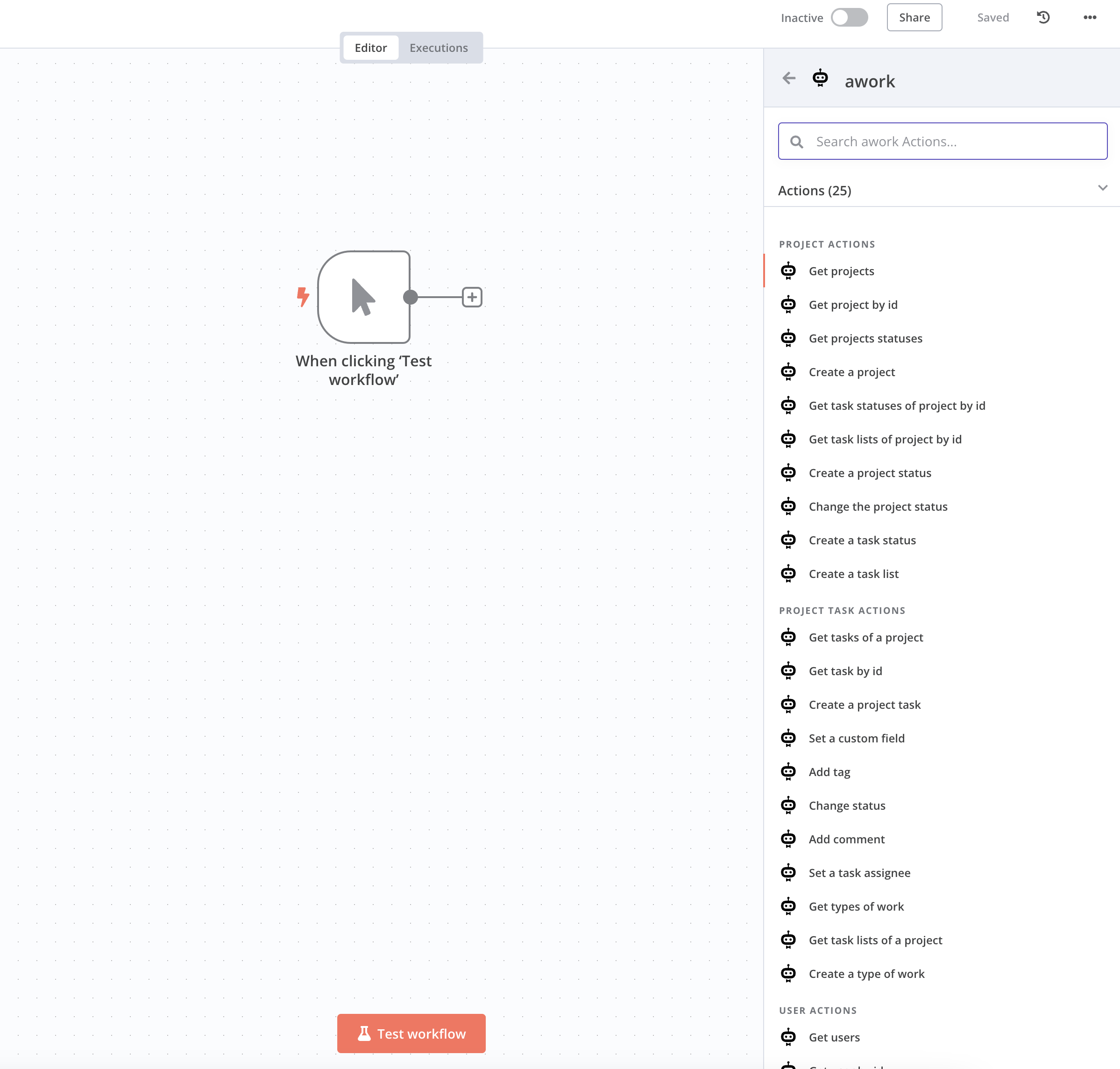
- Go to Settings > Community Nodes > Install > Enter in your n8n account
- Enter the package name:
n8n-nodes-awork - Find awork in your n8n workspace with all pre-built automations
- Start building your custom workflow
Option B: Use the API with an HTTP Request Node
- Click Add Workflow in your n8n account to start a new workflow
- Set when your workflow should start (for example, on a schedule or manually)
- Add an HTTP Request Node to your workflow (details here)
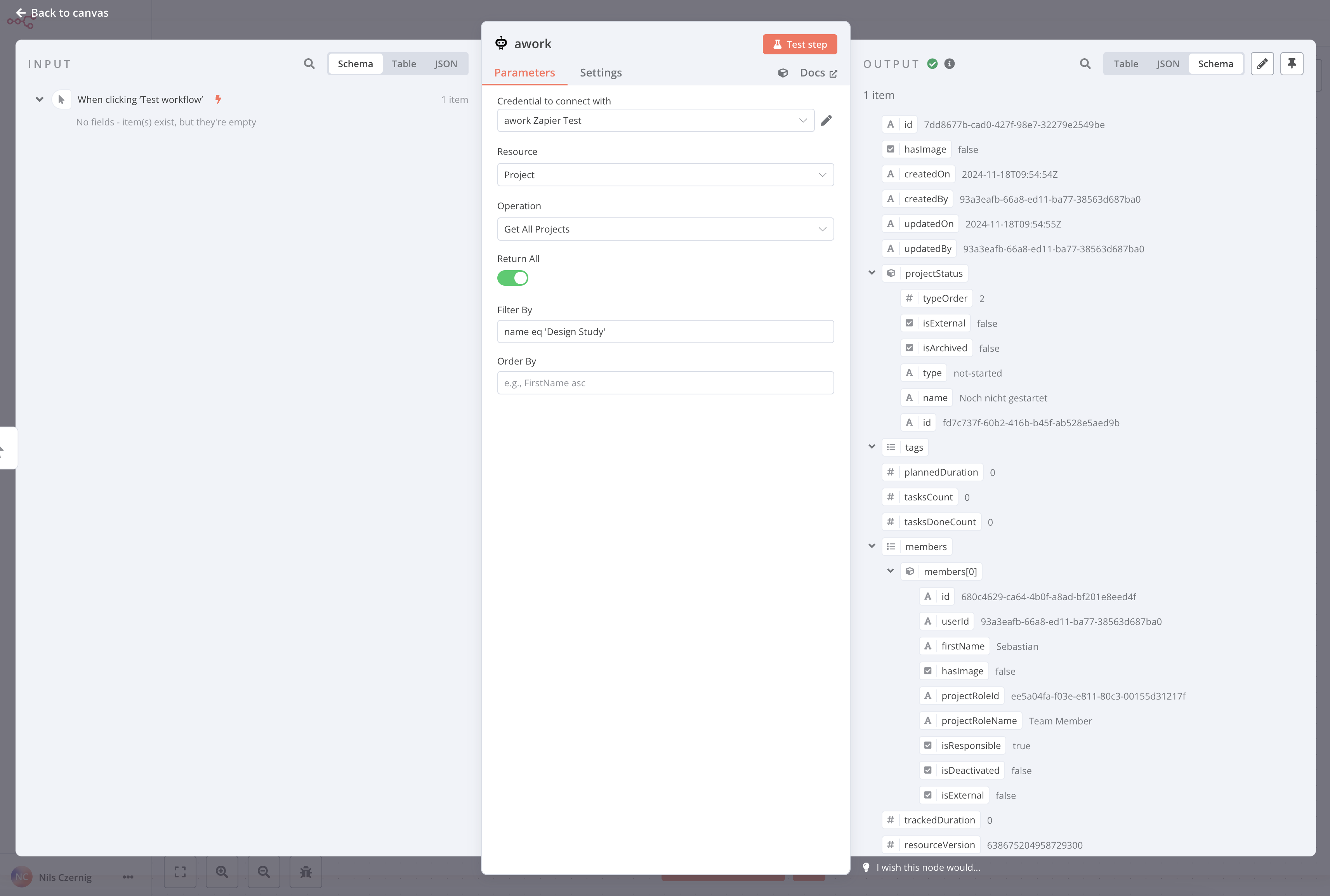
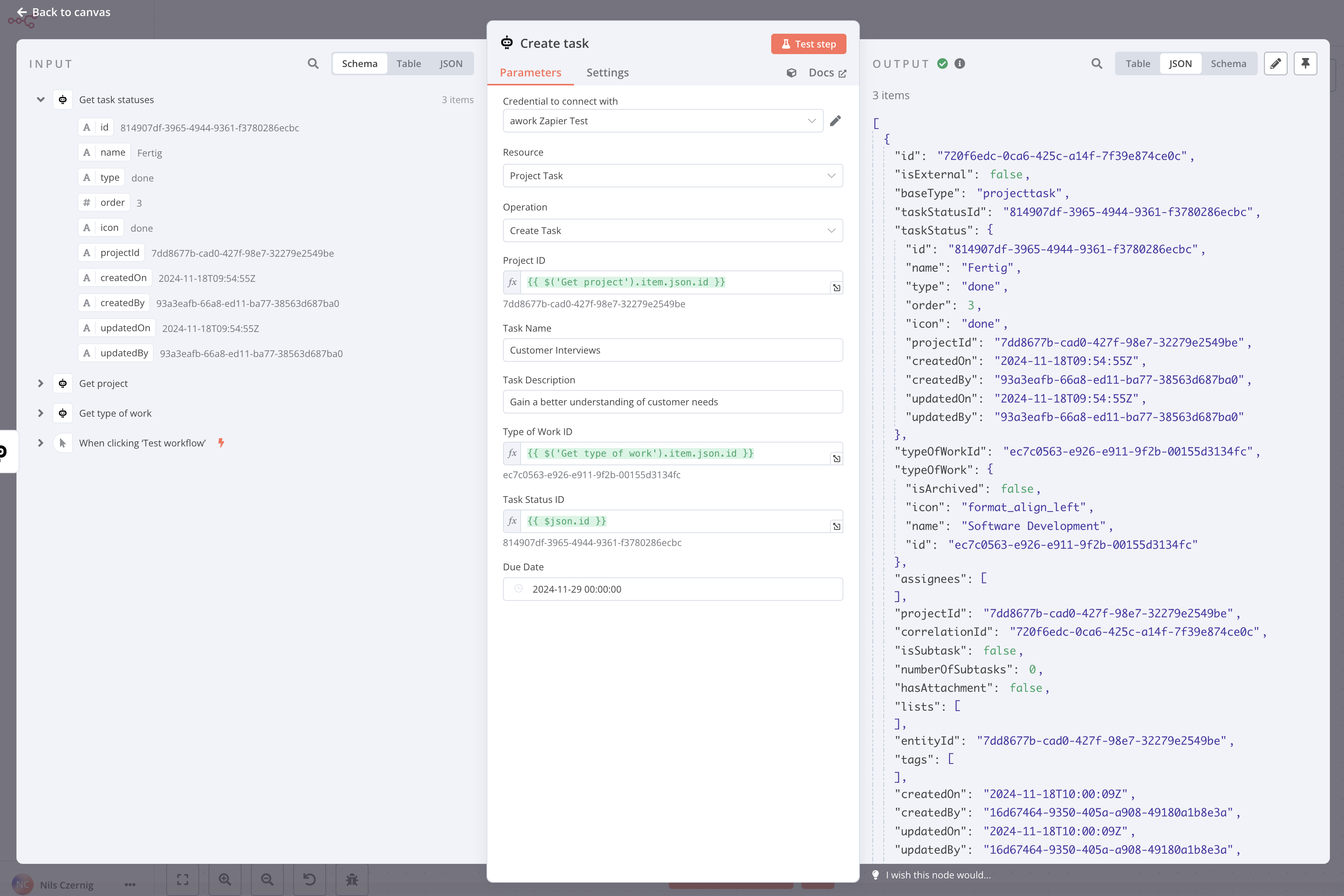
- Authenticate using a common authentication method and make API calls to awork to retrieve data using the URLs
- Connect the awork node to another node to specify which action should follow the event triggered in awork
👉🏼 Learn here how to get an API key for authentication.
Finalize your workflow
- Test the workflow to make sure the nodes are connected correctly
- Save the workflow and activate it so it runs automatically
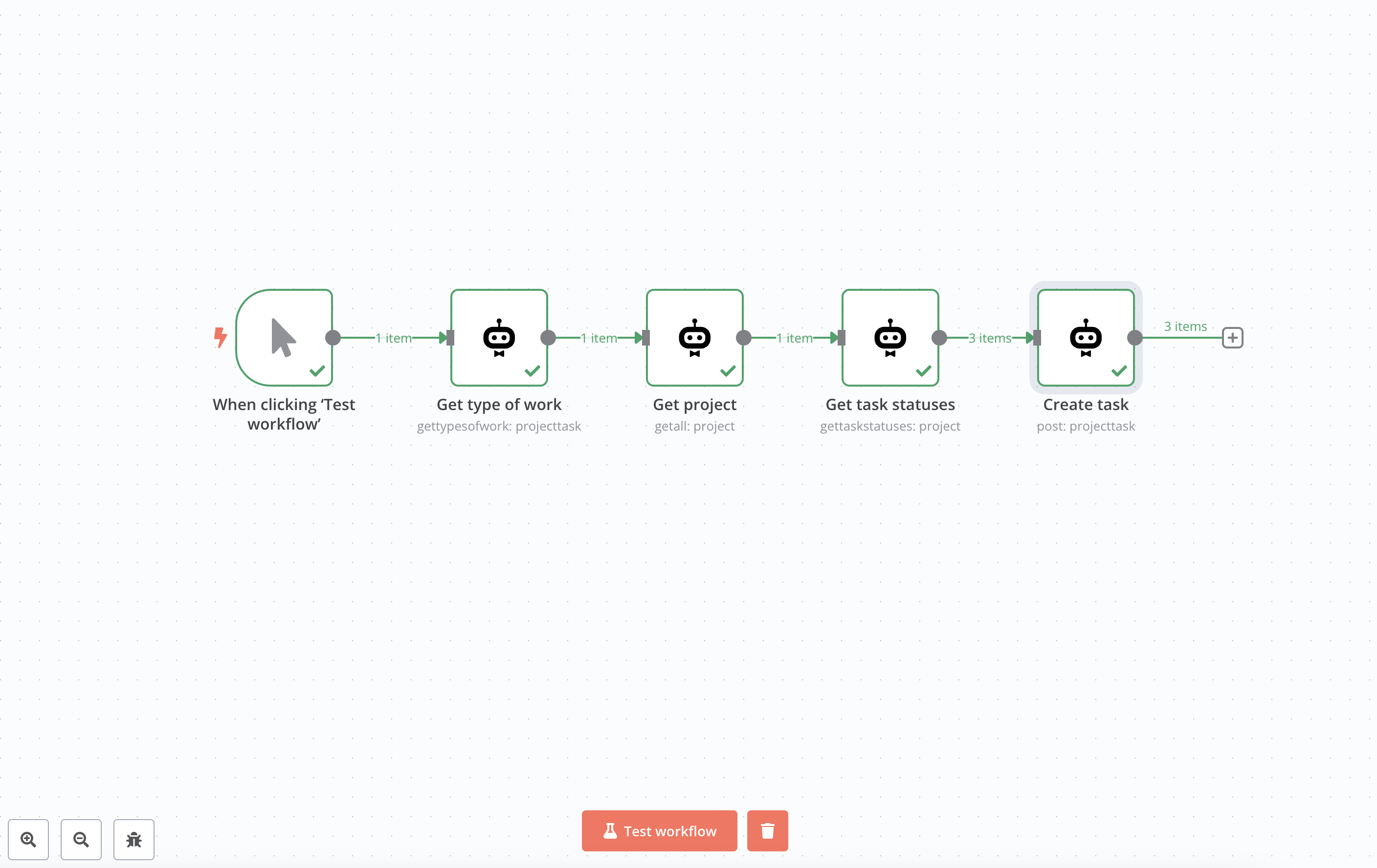
For more information, check out here at n8n.
Tips
- Start simple by creating a workflow with a trigger and one action following it
- Use the Community Node first if you want to use pre-built awork automations in n8n
- Use the HTTP Request Node if you need custom API calls that go beyond what the Community Node offers
FAQ
What is n8n?
n8n is an extensible, open-source platform for workflow automation that lets you integrate awork with various apps and services without any coding knowledge.
Should I use the Community Node or the API?
Use the Community Node for the easiest setup with pre-built awork automations. If that doesn't cover your needs, use custom API calls with the HTTP Request Node.
What actions are supported for awork in n8n?
Supported actions are Delete, Get, Head, Options, Patch, Post, and Put.
Where do I get an API key for authentication?
Here's how to get an API key: Create API key.
 Powered by happysupport.ai